
A website builder lets you create a site yourself, without hiring a developer, using drag-and-drop tools and ready-made templates. For a small business, a solo founder or a simple project, it can be the fastest, cheapest way to get online. But builders vary a lot in design, ecommerce, SEO and price. This guide compares the 8 best website builders for Singapore in 2026, what each is best for, what they cost, and when a builder is not enough.
Quick answer: For most Singapore businesses, Wix is the best all-round website builder for flexibility, and Squarespace is best for beautiful, design-led sites. Shopify and BigCommerce lead for online stores, WordPress and Webflow for flexibility and control, and Hostinger or GoDaddy for the lowest cost. For a serious, scalable or grant-funded site, a custom build is the better choice.
Quick comparison: best website builders for Singapore
|
Builder |
Best for |
From (approx) |
Ecommerce |
|
Wix |
Flexible all-in-one sites |
From ~S$23/month |
Yes |
|
Squarespace |
Beautiful, design-led sites |
From ~US$16/month |
Yes |
|
Shopify |
Online stores |
From ~S$39/month |
Strong |
|
WordPress |
Flexibility and content |
From ~S$4/month |
Via WooCommerce |
|
Webflow |
Design control with clean code |
From ~US$14/month |
Yes |
|
Hostinger |
Cheapest, AI-assisted |
From ~S$3/month |
Basic |
|
GoDaddy |
Fast, simple setup |
From ~S$10/month |
Basic |
|
BigCommerce |
Larger online stores |
From ~US$39/month |
Strong |
Prices are indicative and change with plans and promotions. Check current pricing before you commit.
What to consider for a Singapore website
Most builders are global, so check they fit the local market:
- Local payments: confirm you can accept PayNow, GrabPay and cards at checkout.
- Pricing in your currency: many builders bill in US dollars, so budget for the exchange rate.
- Local support and speed: look for fast loading for Singapore visitors.
- A .sg domain: most builders let you connect one.
- PDPA: you are still responsible for privacy and cookie compliance.
The 8 best website builders in Singapore
1. Wix
Wix is a versatile website builder that empowers users to create highly customisable websites without coding. It combines an intuitive drag-and-drop interface with hundreds of templates suitable for businesses, portfolios, blogs, and online stores. Its user-friendly editor allows beginners to design complex layouts with ease.

Key Features:
-
Hundreds of designer templates across industries
-
Drag-and-drop website editor with advanced customization
-
SEO and marketing tools for search visibility
-
App marketplace to extend functionality (forms, booking, e-commerce)
-
Free plan available (with Wix branding)
Pricing: Paid plans start from $16/month, with e-commerce plans beginning at $27/month.
Best for: Beginners, small business owners, and individuals seeking a flexible and easy-to-use platform that can grow with their website needs.
2. Squarespace
Squarespace is renowned for modern, visually stunning templates, making it ideal for creatives, photographers, artists, and small businesses wanting a polished online presence. It offers integrated blogging and marketing tools, so users can maintain a professional website without juggling multiple platforms.

Key Features:
-
Professionally designed templates optimised for mobile
-
Built-in blogging tools for content marketing
-
E-commerce support for small stores
-
Integrated analytics for tracking visitors and conversions
-
Domain management and email integration
Pricing: Plans start at $16/month, with business/e-commerce options from $23/month.
Best for: Creative professionals and small businesses focused on visual aesthetics and branding.
Check more: Domain and Hosting Service and Email Hosting Service from MediaPlus
3. Shopify
Shopify is a leading e-commerce website builder designed for businesses selling products online. It combines ease-of-use with advanced e-commerce tools, allowing merchants to manage inventory, payments, and shipping seamlessly.

Key Features:
-
Full-featured online store builder
-
Payment gateway and shipping integrations
-
Inventory and order management system
-
Marketing tools and analytics dashboard
-
Access to a large app marketplace for custom features
Pricing: Plans start at $39/month, plus transaction fees depending on the payment provider.
Best for: Entrepreneurs and businesses looking for a dedicated, scalable e-commerce platform.
4. WordPress.com
WordPress.com is the hosted version of WordPress, combining the flexibility of the open-source CMS with a managed, beginner-friendly platform. It’s suitable for blogs, portfolios, small business websites, and medium-sized online stores.

Key Features:
-
Pre-designed themes and templates
-
Blogging and content management tools
-
Plugin support for additional functionality
-
Built-in SEO tools and analytics
-
Free and paid plans available
Pricing: Paid plans start at $4/month (personal), business plans from $25/month.
Best for: Bloggers, small businesses, and anyone looking for a flexible CMS with low maintenance.
5. Webflow
A design-first builder that produces clean, production-ready code, popular with designers who want pixel control without hand-coding. From around US$14 a month.
Best for: design-led sites that need more control than Wix. Watch-out: steeper learning curve; more designer than beginner tool.
6. Hostinger Website Builder
One of the cheapest options, with an AI website generator and hosting included, and fast performance. From around S$3 a month.
Best for: the tightest budgets and quick, simple sites. Watch-out: fewer advanced features than Wix or Squarespace.
7. GoDaddy Website Builder
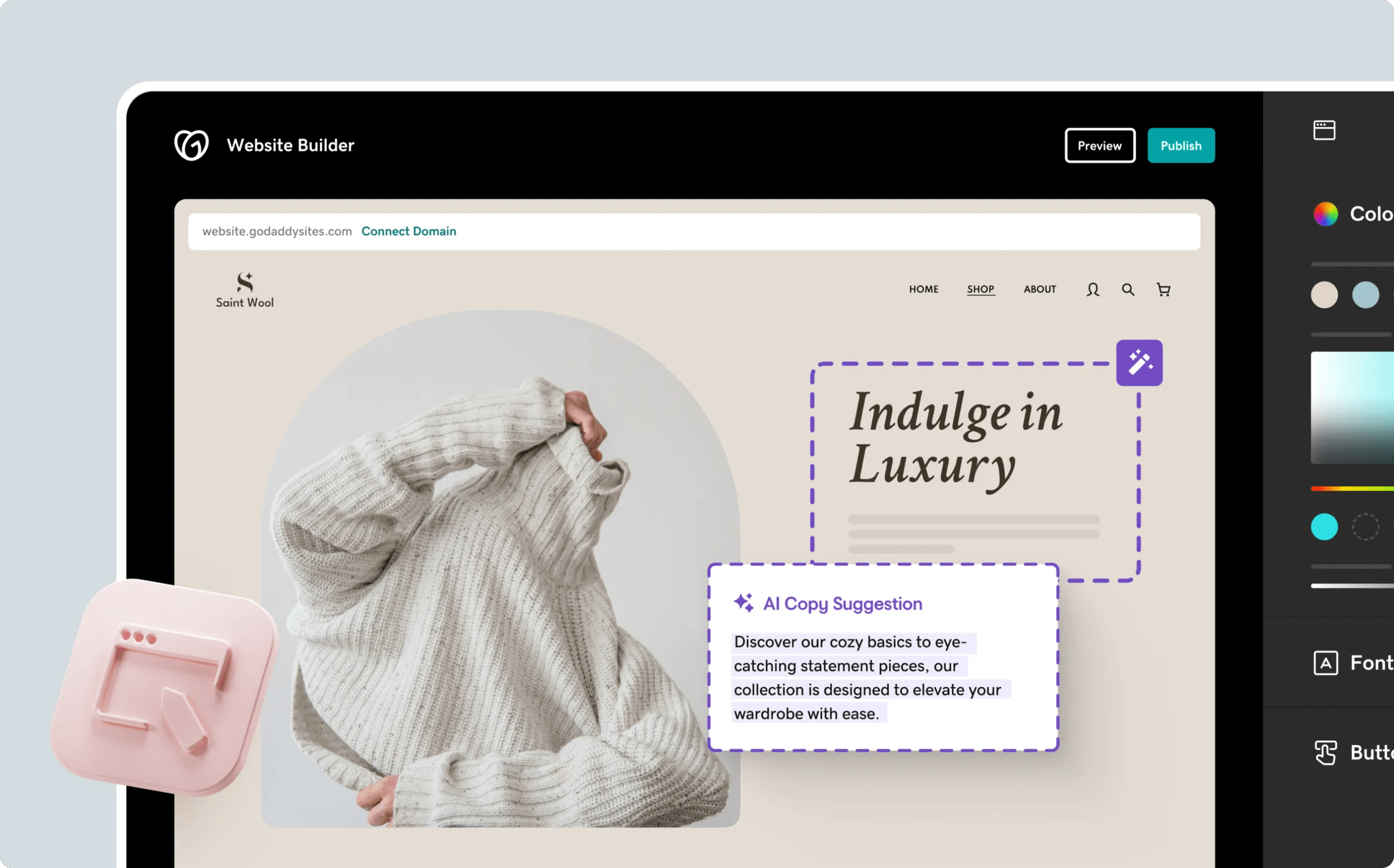
GoDaddy Website Builder is designed for speed and simplicity. With AI-assisted design, users can build a professional-looking website in minutes, fully integrated with GoDaddy’s hosting and domain services.
Key Features:
-
Easy drag-and-drop editor
-
AI-powered website setup and suggestions
-
Mobile-responsive templates
-
Basic SEO tools
-
Integration with GoDaddy domain and email services
Pricing: Plans start at $10/month, with e-commerce options from $20/month.
Best for: Users who want a quick, no-frills website without technical complexity.
8. BigCommerce
A hosted ecommerce platform for larger or growing stores, with strong built-in features and no transaction fees. From around US$39 a month.
Best for: bigger online stores wanting built-in scale. Watch-out: more than a small store needs.
How to choose the right website builder
- Ease of use: how comfortable are you building it yourself?
- Design flexibility: do you want it beautiful out of the box (Squarespace) or fully flexible (Wix, Webflow)?
- Ecommerce needs: selling products points you to Shopify or BigCommerce.
- SEO and marketing: check built-in SEO tools if organic traffic matters.
- Budget: factor in the plan, apps and currency.
When a website builder is not enough
Builders are great for simple sites, but they hit limits. Consider a custom build when you need:
- A distinctive, fully branded design that stands out
- Custom features, integrations or a large catalogue
- Serious SEO performance in a competitive market
- Room to scale without rebuilding later
- PSG grant funding, which applies to qualifying custom builds through a pre-approved vendor, not to DIY builder subscriptions
At that point, a professional web design or ecommerce build gives you more control, performance and value, with up to 50% PSG support for eligible SMEs.
Frequently asked questions
What is the best website builder in Singapore?
Wix is the best all-round choice for flexibility, and Squarespace for beautiful design. For online stores, Shopify leads. The best one depends on your needs and budget.
How much does a website builder cost?
Plans range from around S$3 a month for budget builders to S$39+ a month for ecommerce, plus any apps and your domain.
Can I use a website builder for an online store?
Yes. Shopify and BigCommerce are built for ecommerce, and Wix, Squarespace and WooCommerce on WordPress also support selling.
Are website builders good for SEO?
Modern builders include SEO tools, but they are more limited than a professionally built site for competitive rankings.
Should I use a builder or hire an agency?
A builder suits simple, DIY sites on a tight budget. An agency suits businesses that want a distinctive, high-performance, scalable site, and it can be part-funded by PSG.
Not sure which way to go?
A website builder can get you online fast, but a professional build gets you results that last. If you want a website designed to convert and grow, with PSG support for eligible SMEs, talk to MediaPlus Digital. Explore our web design, WordPress and ecommerce services.




