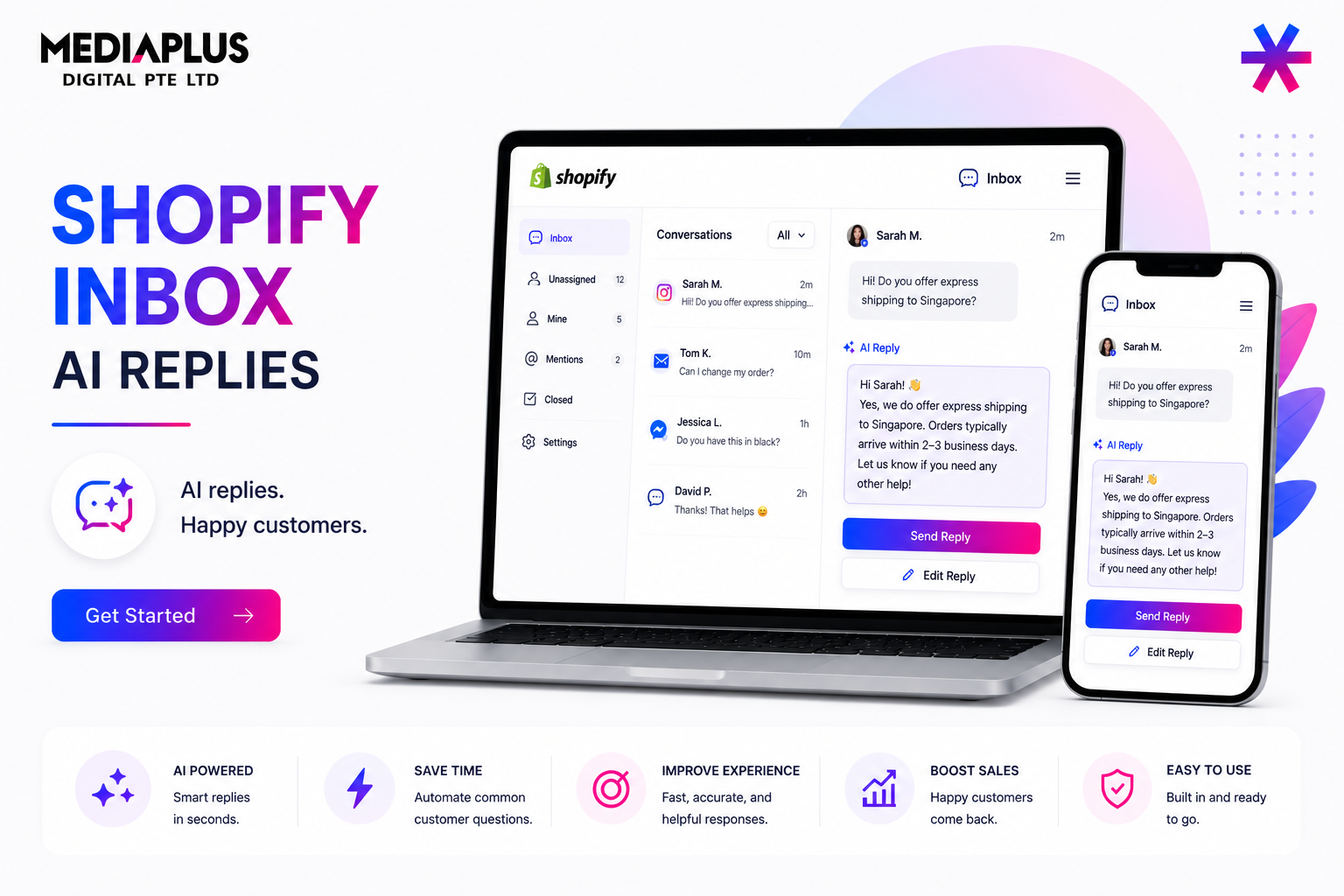
Fast answers close sales. Shopify Inbox, the free chat and messaging tool, now uses AI to draft suggested replies for your team and to power clickable instant answers for shoppers. Shopify’s own app listing attributes a conversion lift of up to 69% to faster responses through these features.
This guide sets up both features, explains exactly what data the AI draws on, and outlines the limitations, including the fact that AI replies are currently English-only.
Two Distinct AI Features in Shopify Inbox
Inbox has two separate AI capabilities, both powered by Shopify Magic:
- Suggested Replies draft a response for your team inside the chat composer during a live conversation.
- Instant Answers are pre-set, clickable questions shown in the chat widget so shoppers can self-serve common queries before a human is involved.
Set up both for full coverage. Instant answers reduce repetitive questions, while suggested replies speed up everything else.
Suggested Replies: AI Drafts for Your Team
When a customer messages you, the AI drafts a reply in the composer that you review, edit, and send. It activates when there is at least one customer message, you have not replied yet, and your store contains information relevant to the question.
What the AI uses to create a draft:
- Product listings, including descriptions, prices, and variants
- Store policies such as returns, shipping, and privacy
- Shipping and delivery settings
- Payment configuration
- Custom store pages
How to Enable Suggested Replies
- Open Shopify Inbox.
- Go to Settings (gear icon).
- Open Message Preferences.
- Find Automatically Generate a Reply and switch it on.
- Click Save.
Suggested replies are enabled by default when the requirements are met. The AI assists your team, but does not send messages automatically.
Instant Answers: Clickable FAQ Automation
Instant answers are pre-written question-and-answer pairs displayed as clickable buttons in the chat widget, such as “What is your return policy?” or “Where do you ship?”.
The AI can suggest instant answers based on your store policies, conversation history, and common merchant questions.
How to Set Up Instant Answers
- Go to Sales Channels → Inbox.
- Open Chat Settings.
- Click Create Instant Answer.
- Enter the question and answer.
- Choose visibility settings.
- Click Save.
You can create unlimited instant answers, display up to 100, reorder them via drag-and-drop, and toggle visibility. A default Track My Order answer is built in and cannot be deleted.
Requirements
| Requirement | Details |
|---|---|
| Language | Store admin and storefront must be in English |
| Inbox | Installed with at least one conversation |
| Catalogue | Fewer than 200,000 products |
The Honest Limits
- English Only. AI suggestions work exclusively in English and default to American English.
- Human Approval Required. Suggested replies are drafts, not autonomous responses.
- Data Gaps. The AI may not have sufficient information for every question.
- Accuracy Must Be Checked. Always review AI-generated replies before sending.
A Setup Routine That Actually Reduces Tickets
- List your top 15 customer questions.
- Create an instant answer for each common question.
- Improve your source data. Accurate policies and product information produce better AI responses.
- Enable suggested replies.
- Review performance weekly.
When to Step Up to a Full Chatbot
Inbox AI is a support accelerator, not a fully autonomous support agent.
If you need multilingual support, advanced automation, or end-to-end issue resolution, consider a dedicated chatbot solution.
Learn more in our guide to the best AI chatbots for ecommerce websites or explore our AI chatbot development services.
Where This Fits for a Singapore Store
Faster replies matter most for high-intent shoppers deciding between you and a competitor.
Instant answers handle predictable questions, while suggested replies help your support team respond faster.
The English-only limitation is important for multilingual Singapore audiences, so keep human support available for non-English chats and consider a custom chatbot if multilingual automation is a priority.
Faster support also protects conversion rates, which connects naturally to our CRO services and strategies for reducing cart abandonment.
FAQ
Is Shopify Inbox free?
Yes. Shopify Inbox and its AI features are free.
Do AI replies send automatically?
No. Suggested replies are drafts that must be reviewed and sent by your team.
Do the AI features work in languages other than English?
No. AI suggestions are currently English-only.
What data does the AI use to draft replies?
Product listings, store policies, shipping settings, payment configuration, and custom store pages.
Need support automation that works for a multilingual Singapore audience? Explore our AI chatbot development service and our ecommerce website solutions.