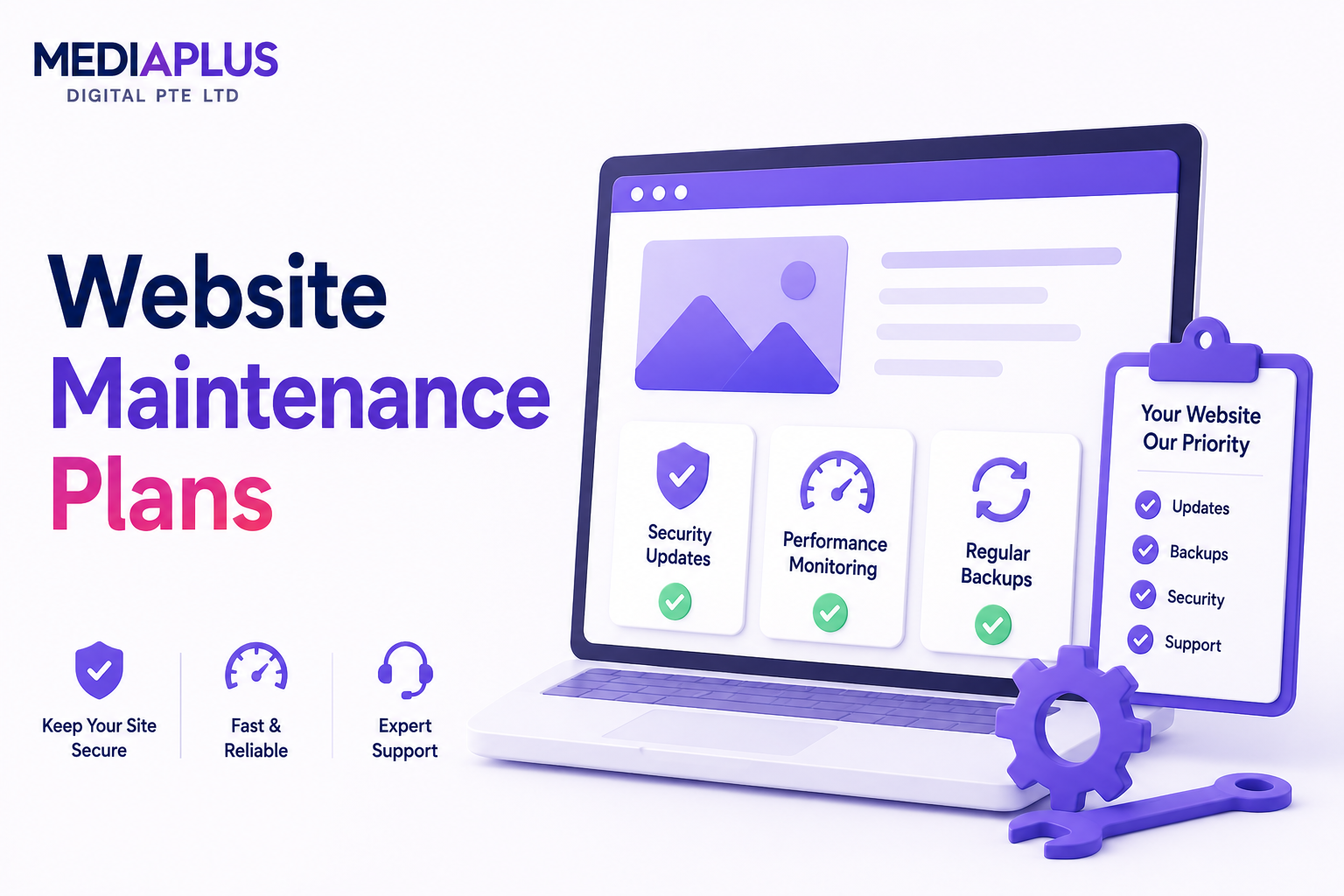
Your website is rarely “finished” on launch day. The moment it goes live, the software behind it starts ageing, security threats start probing it, and your content starts drifting out of date. Website maintenance is the ongoing work that keeps a live site secure, fast, accurate, and fully functional after launch.
For businesses, this matters more than ever. The country has one of the highest internet penetration rates in the world (around 92%), so for most customers your website is the first version of your brand they ever meet. A broken contact form, a security warning in the browser, or a page that takes five seconds to load can quietly cost you enquiries every single day.
This guide explains what website maintenance actually involves, why it matters, the real tasks behind it, how much it costs in Singapore, and how to decide between doing it yourself and hiring a team.
What Website Maintenance Means
Website maintenance is the routine process of monitoring, updating, securing, and optimising a website so it keeps performing the way it did on day one (or better). It is not a one-off project. It is a recurring discipline, similar to servicing a car or maintaining an office.
A useful way to think about it: web design and development build the website, while maintenance keeps it alive. If you want a refresher on those build stages, see our guides on what is web design and what is web development.
Maintenance covers several overlapping layers:
- Technical upkeep: software updates, bug fixes, broken link repairs, server and hosting health.
- Security: malware scanning, firewall management, SSL certificates, vulnerability patching.
- Performance: page speed, image optimisation, caching, database cleanup.
- Content: text edits, new pages, product and price updates, fresh images.
- SEO and analytics: keeping the site search-friendly and tracking working correctly.
Each layer is small on its own. Neglect them together for six months and you get the typical “abandoned website” outcome: slow, insecure, half-broken, and invisible on Google.
Why Website Maintenance Matters
Maintenance is easy to postpone because nothing obviously breaks on the first day you skip it. The damage accumulates quietly. Here is what is actually at stake.
1. Security and Risk
Most Singapore SME websites run on WordPress, and WordPress is the most attacked platform on the web precisely because it is the most popular. Tens of thousands of WordPress sites are compromised every day, almost always through outdated plugins, themes, or core files rather than through clever hacking.
A compromised site can be defaced, used to send spam, loaded with malware that infects your visitors, or flagged by Google as “deceptive,” which buries you in search and shows a red warning screen to anyone who clicks through. Recovery is far more expensive and stressful than prevention. Our deeper guide on website security best practices for Singapore SMEs covers the specifics.
2. Search Engine Rankings
Google rewards sites that are fast, secure, and well-structured. Maintenance directly feeds the signals it cares about: load speed, Core Web Vitals, HTTPS security, working internal links, and a clean crawlable structure. Broken links, slow pages, and 404 errors all chip away at rankings over time.
If maintenance lapses, you do not get a penalty notice. You just slowly slide down the results while better-maintained competitors hold their positions. For the technical side of this, see technical SEO explained.
3. User Experience and Conversions
More than half of mobile visitors abandon a page that takes longer than three seconds to load. Every broken form, dead link, or outdated price is a moment where a potential customer loses trust and leaves. Maintenance keeps the journey from landing page to enquiry smooth, which is the entire point of having a website in the first place.
4. Brand Reputation
Your website is a public reflection of how you run your business. A “Not Secure” label in the address bar, a 2023 promotion still live in 2026, or a contact page with a disconnected phone number all signal neglect. Customers notice, even if they cannot articulate why they trust a competitor more.
5. Compliance
Singapore businesses that collect personal data (enquiry forms, e-commerce checkouts, newsletter sign-ups) have obligations under the Personal Data Protection Act (PDPA). Maintenance includes keeping privacy notices, consent mechanisms, and data handling up to date. See PDPA compliance for websites in Singapore and web accessibility (WCAG) compliance for the details.
The Main Types of Website Maintenance
Maintenance is often sold as one bundle, but it helps to understand the distinct categories inside it.
|
Type |
What it covers |
Why it matters |
|
Technical maintenance |
CMS, plugin and theme updates; bug fixes; hosting and server health; broken link repair |
Prevents the silent decay that breaks features over time |
|
Security maintenance |
Malware scanning, firewalls, SSL renewal, vulnerability patching, login hardening |
Stops hacks, defacement, and Google blacklisting |
|
Performance maintenance |
Speed optimisation, image compression, caching, database cleanup |
Keeps pages fast for users and search engines |
|
Content maintenance |
Text edits, new pages, product and price updates, fresh images, removing stale info |
Keeps the site accurate and worth returning to |
|
Design and UX maintenance |
Fixing display issues, responsive checks, small layout improvements |
Keeps the site usable across new devices and browsers |
|
SEO maintenance |
Monitoring rankings, fixing crawl errors, updating metadata, keeping sitemaps clean |
Protects and grows organic visibility |
Most businesses need a blend of all six. The right mix depends on the type of site: a five-page brochure site leans on security and technical upkeep, while an e-commerce store needs heavy performance and content work as well.
Website Maintenance Tasks by Frequency
The clearest way to understand maintenance is to look at the actual checklist, organised by how often each task should happen. This is the rhythm a good provider (or a disciplined in-house owner) follows.
Weekly
- Install CMS, theme, and plugin updates after testing for conflicts
- Run a malware and security scan
- Confirm backups completed successfully
- Check the site loads correctly on desktop and mobile
- Review and clear spam comments or form submissions
Monthly
- Audit for broken links and 404 errors, then fix or redirect them
- Review page speed scores and Core Web Vitals
- Test all key forms, checkout flows, and calls to action
- Check uptime reports for any outages
- Update content: prices, promotions, new products, news
- Review analytics for unusual drops in traffic or conversions
Quarterly
- Test a full backup restore (a backup you have never restored is only a hope)
- Review and renew SSL certificates and domain registration well before expiry
- Audit user accounts and remove access no longer needed
- Optimise the database and clear accumulated bloat
- Review SEO performance and fix any technical issues
Annually
- Refresh stale content, photography, and copyright dates
- Review hosting plan against current traffic and needs
- Reassess design against current standards and competitors
- Evaluate whether a redesign is due
For a printable, more detailed version, we maintain a website maintenance checklist and a WordPress-specific maintenance checklist.
WordPress, Shopify, and Custom Sites
Maintenance needs differ by platform.
- WordPress powers a large share of Singapore SME sites. It is flexible and affordable but relies on third-party plugins, which are the most common entry point for attacks. Plugin and core updates, plus active security monitoring, are the heart of WordPress maintenance.
- Shopify and WooCommerce stores carry extra weight because they handle payments, inventory, and customer data. Performance, app updates, and checkout testing become critical, since downtime directly equals lost sales.
- Custom-built sites need developers who understand the specific codebase. Updates are less frequent than WordPress but more specialised when they happen.
Whatever the platform, the underlying principle is the same: software left untouched becomes a liability.
What Happens If You Skip Maintenance
It helps to see the cost of inaction laid out plainly:
- Security breach. An outdated plugin gets exploited, the site is defaced or infected, and recovery costs far more than a year of maintenance would have.
- Google blacklist. Malware triggers a “this site may harm your computer” warning, and traffic collapses overnight.
- Lost rankings. Slow pages and broken links push you down the results while competitors climb.
- Lost sales. A broken checkout or contact form fails silently, and you never know how many enquiries you missed.
- Expensive rebuild. Years of neglect often make a full website redesign cheaper than untangling the accumulated mess.
Maintenance is insurance that also improves the asset it protects.
DIY vs Hiring a Maintenance Team
You have three realistic options.
Do it yourself. Viable for a simple site if you are technical and disciplined. The hidden cost is time and the risk of an update breaking something you cannot fix quickly. One conflict between a theme and a plugin can take a whole afternoon to diagnose.
Hire an in-house person. Makes sense only at a certain scale. A full-time hire is expensive for what is, for most SMEs, a few hours of work per month.
Engage a maintenance provider. The most common choice for Singapore SMEs. You pay a predictable monthly fee, a specialist team handles updates, security, backups, and edits, and you get monthly reports instead of surprises. The trade-off is choosing a provider you can trust to be responsive.
For most owners, the question is not really “can I do this myself” but “is my time better spent running the business or troubleshooting plugin conflicts.”
How Much Website Maintenance Costs in Singapore
Pricing in the Singapore market generally falls into tiers based on site complexity. The table below reflects typical monthly rates across local providers in 2026.
|
Tier |
Typical monthly cost |
Best suited for |
Usually includes |
|
Basic |
S$150 to S$250 |
Brochure and small business sites |
Updates, security scans, backups, uptime monitoring, a few content edits |
|
Business |
S$300 to S$500 |
Growing SMEs, content-heavy sites |
Everything in Basic plus speed optimisation, more edits, SEO health checks, priority support |
|
E-commerce / Advanced |
S$500 to S$800+ |
Online stores, custom platforms |
Everything above plus checkout monitoring, more storage, deeper performance work, faster response SLAs |
A few things to watch when comparing quotes:
- Response time matters. A guaranteed response window (for example, two hours during business hours) is worth more than a long task list you will rarely use.
- No lock-in is better. Month-to-month billing keeps the provider accountable.
- Local team vs offshore. A Singapore-based team that understands PDPA and local context tends to communicate faster and more clearly.
For a full breakdown, see our guide on website maintenance cost in Singapore and the available website maintenance plans.
Funding It With the PSG Grant
Eligible Singapore SMEs can offset a significant portion of website and digital costs through the Productivity Solutions Grant (PSG), which currently supports up to 50% of cost for pre-approved solutions (subject to the prevailing cap and conditions). This can apply to website build and related digital marketing packages. Always confirm current rates and eligibility on the official GoBusiness portal before committing. Our PSG web development grant page explains how it works.
How to Choose a Website Maintenance Provider
Use these questions to separate a real partner from a cheap line item:
- What is the guaranteed response time? Ask for it in writing.
- Who is on the team, and where are they based? In-house and local usually means faster, clearer communication.
- What exactly is included each month? Get the task list and the number of content edits in writing.
- How are backups handled? Offsite storage and a tested one-click restore are non-negotiable.
- Do they support your platform? WordPress, Shopify, WooCommerce, or your custom stack.
- Is there a lock-in contract? Month-to-month signals confidence in their own service.
- Do they report monthly? You should see uptime, speed, updates applied, and issues resolved.
- Can they maintain a site they did not build? A good provider can take over an existing site.
Frequently Asked Questions
Is website maintenance really necessary if my site works fine?
Yes. “Working fine” today does not protect you from tomorrow’s security vulnerability or a plugin update that breaks a feature. Most maintenance value is invisible because it prevents problems before you ever see them.
How often should a website be updated?
Software updates should be checked at least weekly, content as often as your business changes, and a deeper review monthly. The exact rhythm depends on the platform and how active the site is.
Can my web developer just fix things when they break?
You can work that way, but it is reactive and usually slower and more expensive. By the time something visibly breaks, the damage (a hack, lost rankings, missed enquiries) may already be done. Ongoing maintenance prevents most of those issues.
Does website maintenance help with SEO?
Indirectly but significantly. Speed, security, working links, and a clean structure are all ranking factors that maintenance protects. Pair it with active SEO services for growth on top of that protection.
What is the difference between web hosting and maintenance?
Hosting is the server space your site lives on. Maintenance is the ongoing care of the site itself. You need both. See what is web hosting for the distinction.
Do I still need maintenance for a Shopify or Wix site?
Yes. Even hosted platforms need content updates, app and integration checks, performance monitoring, and SEO upkeep. The technical surface is smaller, but the content and conversion work is the same.
Keeping Your Website an Asset, Not a Liability
A website is one of the few business assets that quietly degrades the moment you stop tending it. Website maintenance is how you protect the investment: a steady, low-cost rhythm of security, updates, performance, and content that keeps your site fast, safe, and converting.
For Singapore SMEs, the practical choice is usually a local maintenance partner who handles it all for a predictable monthly fee. MediaPlus has maintained more than 1,000 websites since 2013 with a full in-house Singapore team, two-hour response during business hours, and no lock-in contracts across WordPress, Shopify, WooCommerce, and custom builds.
To see what a managed plan looks like for your site, explore our website maintenance services or get in touch for a quick assessment.