
Quick answer
There is no single best web design software, because a website passes through several jobs and each has a different best tool:
|
Job |
Best overall |
Best free option |
Worth knowing |
|
UI design and prototyping |
Figma |
Figma Starter or Penpot |
Adobe XD is in maintenance mode |
|
Visual site building |
Webflow |
Framer Free or Webflow Starter |
Webflow replaced its site plans in May 2026 |
|
WordPress sites |
WordPress + Elementor or Bricks |
WordPress with the block editor |
You own the site and hosting |
|
Coding |
Visual Studio Code |
VS Code with GitHub Copilot Free |
Dreamweaver still exists but is rarely the right start |
|
Graphics and images |
Affinity |
Affinity (free since October 2025) |
Photoshop remains the industry default |
|
Wireframes and sitemaps |
Relume |
Relume Free |
Exports to Figma, Webflow or React |
|
Prompt-to-prototype |
Figma Make, v0, Bolt, Lovable |
Free tiers of each |
Good for prototypes, not finished business sites |
Prices below are in US dollars unless stated and were checked on each vendor’s own pricing page in September 2026. Most of these tools do not publish SGD prices.
If you are a business owner looking for a tool to build your own site without design skills, that is a different question, answered in our guide to the best website builders.
How professionals actually use these tools
A typical agency workflow uses three or four tools, not one:
- Sitemap and wireframes: Relume, Figma or pen and paper
- UI design and prototype: Figma
- Build: Webflow, Framer, WordPress or code in VS Code
- Images and graphics: Affinity, Photoshop or Canva for quick social assets
Knowing which stage a tool belongs to avoids the most common mistake: choosing a design tool when you needed a builder, or a builder when you needed to design first. See web design vs web development for how the stages split.
What the usage data says
- UI design: the UXtools Design Tools Survey, with 2,220 respondents collected between November 2024 and January 2025, found Figma held 82.3% of UI design use, 46 times Sketch, while 1.4% still used Adobe XD.
- AI in design work: UXtools’ Spring 2026 prototyping survey of 1,478 respondents found weekly use of Figma at 82.6%, Claude at 50.8%, ChatGPT at 48.2% and Figma Make at 34.8%. It was recruited through UXtools’ own newsletter and sponsor networks, so it leans towards engaged designers.
- Code editors: the Stack Overflow Developer Survey 2025, with 49,009 responses, found 75.9% of developers answering the IDE question used Visual Studio Code.
1. UI design and prototyping tools
Figma
What it is: the default tool for designing website and app interfaces, in the browser with Mac and Windows apps. It has grown into a platform: Dev Mode for developer handoff, FigJam whiteboards, Slides, Figma Make for prompt-to-app prototypes, and Figma Sites (still labelled beta) for publishing websites.
Pricing (USD per seat per month):
|
Plan |
Full seat |
Dev seat |
Collab seat |
|
Starter |
Free |
Free |
Free |
|
Professional |
$16 |
$12 |
$3 |
|
Organization (annual only) |
$55 |
$25 |
$5 |
|
Enterprise (annual only) |
$90 |
$35 |
$5 |
Professional’s $16 is the price shown on Figma’s pricing page; monthly billing can come in higher.
Worth knowing in 2026: Figma started enforcing AI credit limits on 18 March 2026. A Full seat on Professional includes 3,000 AI credits a month, other seats 500, and extra credits are sold as add-ons. Heavy users of Figma Make should budget for this.
Best for: almost every designer and agency. If you are choosing one design tool, choose this.

Penpot
What it is: an open-source design and prototyping tool that runs in the browser and can be self-hosted.
Pricing: Professional is free for up to 8 members with 10GB storage. Unlimited is $7 per user per month, capped at $175 a month. Enterprise starts at $950 a month. Self-hosting is free.
Worth knowing: version 2.15, released April 2026, lets AI agents work directly with Penpot files through a hosted MCP server.
Best for: teams that want open source, self-hosting for data control, or no vendor lock-in. It is the most credible Figma alternative.
Sketch
What it is: a Mac-only design app. The web app is for viewing, inspecting and handoff, not for designing.
Pricing: Standard $12 per editor per month on yearly billing, Professional $24, Enterprise $44. A Mac-only licence without collaboration costs $120 per seat once, with a year of updates. No free plan, 30-day trial.
Best for: Mac-only teams already invested in Sketch libraries.

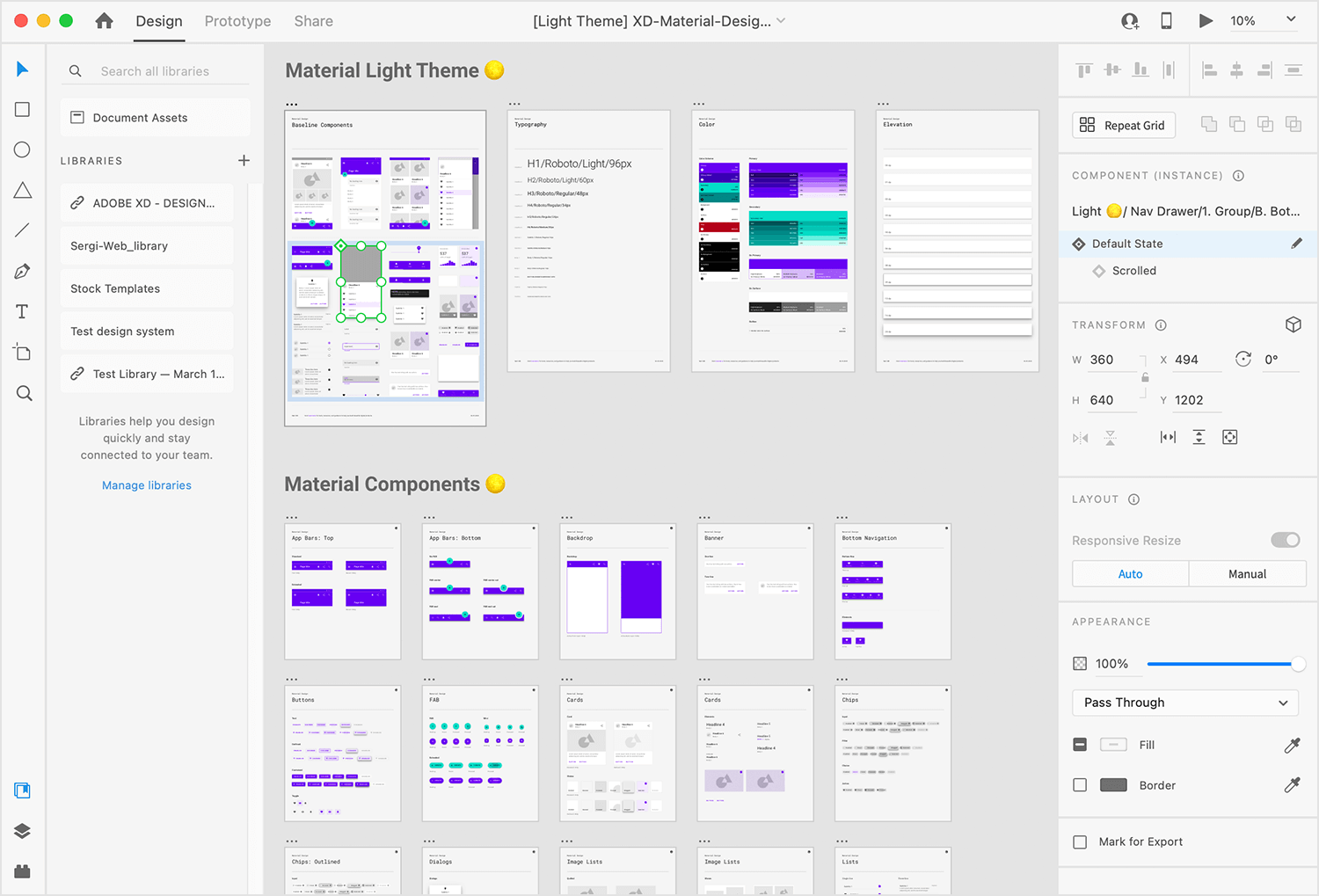
Adobe XD: do not start here
Adobe XD is in maintenance mode. Adobe states it is not investing in ongoing development or new features, will continue fixing bugs and security issues for existing customers, and will give significant notice before ending support. Use it only to open legacy files, and plan a move to Figma or Penpot.
2. Visual site builders (design and publish without code)
Webflow
What it is: a visual builder that produces clean, production-ready HTML and CSS, with a built-in CMS, hosting and ecommerce. It is the tool closest to hand-coding without writing code.
Site plans (USD per site per month, annual / monthly billing):
|
Plan |
Price |
Key limits |
|
Starter |
Free |
2 pages, 50 CMS items |
|
Basic |
$15 / $25 |
300 pages, no CMS |
|
Premium |
$25 / $39 |
20,000 CMS items, 40 collections |
|
Ecommerce Standard |
$29 / $42 |
|
|
Ecommerce Plus |
$74 / $84 |
|
|
Ecommerce Advanced |
$212 / $235 |
Workspace plans for teams run from free to $49 a month (Growth), with Freelancer at $16 and Agency at $35 on annual billing.
Worth knowing in 2026: on 13 May 2026 Webflow merged its old CMS and Business plans into a single Premium plan and added a Team platform plan from $2,500 a month on an annual contract. Articles quoting “CMS $23” or “Business $39” are out of date. Webflow AI now builds sites from prompts, generates sections and runs SEO and AEO audits.
Best for: agencies and in-house teams building CMS-heavy marketing sites that need design freedom and clean code. Compare it with WordPress in WordPress vs Webflow.

Framer
What it is: a design-first site builder with a freeform canvas that feels like Figma, plus CMS, hosting and AI agents that generate pages and content.
Pricing (USD per site per month, yearly billing):
|
Plan |
Price |
Key limits |
|
Free |
$0 |
Framer subdomain, 1GB bandwidth |
|
Basic |
$10 |
30 pages, 2 CMS collections, 1,000 CMS items |
|
Pro |
$30 |
150 pages, 10 collections, 2,500 CMS items, expandable |
Extra editors cost $20 a month, content-only editors $10, viewers are free.
Best for: designers building landing pages, portfolios and startup marketing sites fast. Less suited to large content sites or complex integrations.
Wix Studio
What it is: Wix’s platform for agencies and freelancers, with responsive design controls, client handover tools and Wix’s app ecosystem.
Pricing: Wix states that no extra payment is needed to use Wix Studio itself; you pay per site plan (Basic, Standard, Plus, Elite, Enterprise). Wix loads prices by location, so check the SGD price on wix.com.
Best for: agencies whose clients are already on Wix, or who want managed hosting with a visual builder. Remember that Wix sites cannot be exported to another host.
3. WordPress with a page builder
What it is: WordPress.org is free, open-source software that powers a large share of the web. On its own the block editor handles layouts; page builder plugins add visual, drag-and-drop design control.
- Elementor Pro: annual licences by number of sites (Essential for 1 site, Advanced for 3, Expert for 25), plus newer Elementor One plans with AI credits. Elementor shows first-year prices that renew at a higher regular rate and vary by billing address, so check at checkout.
- Bricks Builder: Starter $79 a year for 1 site, Business $149 for 3, Agency $249 for unlimited sites, or $599 once for a lifetime licence. Popular with developers for cleaner output.
Costs to add: hosting, a theme if used, premium plugins, and ongoing maintenance.
Best for: businesses that want to own their site, need plugins for bookings, memberships or ecommerce, and want freedom to change hosts or developers. See pros and cons of WordPress.
4. Code editors
Visual Studio Code
What it is: Microsoft’s free code editor, used by around three in four developers according to Stack Overflow’s 2025 survey.
Worth knowing: GitHub Copilot has a free plan inside VS Code with 2,000 code completions and 50 chat requests a month. VS Code now supports AI agents including Copilot, Claude and Codex, plus MCP connections and bring-your-own models.
Best for: anyone writing HTML, CSS, JavaScript, PHP or theme code. Free, and it is the default.
Adobe Dreamweaver
What it is: a code editor with live visual preview, still sold as a single app at US$22.99 a month on an annual plan (Adobe Singapore shows USD pricing). There is no discontinuation notice, but also no meaningful new AI features.
Best for: maintaining older hand-coded static sites. Few teams would pick it for a new project.
5. Graphics and image tools
Affinity
What it is: a professional design suite combining vector design, photo editing and layout in one app, on Mac and Windows. After Canva relaunched it on 30 October 2025, Affinity is free for individuals. Its AI tools require a Canva premium plan.
Best for: anyone who wants Photoshop and Illustrator-class tools without a subscription.
Adobe Photoshop and Illustrator
Pricing: Photoshop is US$22.99 a month on an annual plan billed monthly, or US$263.88 a year prepaid. Illustrator is US$263.88 a year prepaid. Creative Cloud Pro bundles all apps.
Best for: teams that exchange files with print shops, brand agencies or clients already on Adobe.
Canva
What it is: quick graphics, social assets and simple one-page sites. Free users can publish up to 5 sites on a Canva subdomain; Pro adds unlimited sites and custom domains.
Best for: marketing teams producing quick visuals. Not a tool for building a business website that needs SEO, forms and growth.
6. Wireframing and AI tools
Relume
What it is: an AI tool that generates a sitemap and wireframes from a short brief, then exports to Figma, Webflow or React.
Pricing: Free (limited components), Starter from $18 a month, Pro from $40, Team from $36 per user with a 3-user minimum.
Best for: agencies scoping page structure before design starts. Our guide to wireframing covers what a good wireframe should settle.
Prompt-to-app tools: Figma Make, v0, Bolt and Lovable
These generate working interfaces and apps from a text prompt.
|
Tool |
What it outputs |
Paid plans from |
|
Figma Make |
Interactive prototypes inside Figma |
Included with Figma Full seats, uses AI credits |
|
v0 by Vercel |
React and Next.js code, deploys to Vercel |
$30 per user per month (Plus) |
|
Bolt |
Full-stack web apps in the browser |
$25 a month (Pro) |
|
Lovable |
Full-stack web apps from chat |
Credit-based, free tier with 5 daily credits |
Honest assessment: excellent for testing an idea, building internal tools and producing a clickable prototype in an afternoon. Weak on the things that decide whether a business website performs: content strategy, SEO structure, accessibility, integrations and maintainability. See AI website builders vs professional web design and our overview of AI tools for web design.
Comparison: which tool for which person
|
You are |
Start with |
Add later |
|
Business owner, no design skills |
A website builder, see best website builders |
An agency when the site starts driving revenue |
|
Beginner learning web design |
Figma Starter, VS Code, Penpot |
Webflow or Framer free plans |
|
Freelance designer |
Figma, Framer or Webflow |
Relume for scoping |
|
Freelance developer |
VS Code, WordPress with Bricks |
Figma Dev seat for handoff |
|
Agency |
Figma, Webflow or WordPress, VS Code |
Relume, Affinity |
|
In-house marketing team |
Webflow or WordPress, Canva |
Figma Collab seats for review |
|
Startup validating an idea |
Framer, v0, Bolt or Lovable |
Proper build once the idea proves out |
Free web design software that is genuinely usable
- Figma Starter: unlimited drafts, limited AI credits
- Penpot: free for teams up to 8, or self-hosted
- Webflow Starter: 2 pages on a Webflow subdomain, fine for learning
- Framer Free: publish on a Framer subdomain
- WordPress.org: free software, you pay only for hosting
- Visual Studio Code: free, with free GitHub Copilot allowance
- Affinity: free for individuals
- Relume Free: limited component library
“Free” usually ends at a custom domain, a CMS or team collaboration, so check which limit you will hit first.
How to choose
Ask these before comparing features:
- Which stage are you solving? Design, build, code or graphics.
- Who edits the site after launch? Marketing teams need a CMS they can use without breaking the design.
- Do you need to own and move the site? WordPress and code give portability. Hosted builders do not.
- What does it cost per site and per seat over three years? Per-site pricing adds up fast for agencies.
- What does it integrate with? CRM, booking, payments, analytics.
- Does it produce accessible, fast, SEO-ready output? Check a live site built with it on PageSpeed Insights.
About PSG: the Productivity Solutions Grant funds pre-approved solutions from pre-approved vendors, not the software tools themselves. For Singapore SMEs, support of up to 50% applies to eligible website packages, capped at S$30,000 per company per financial year. See our PSG web development grant guide.
Frequently asked questions
What software do professional web designers use?
Figma for design in most teams, with Webflow, Framer or WordPress for building and VS Code for code. Survey data puts Figma at over 80% of UI design use.
What is the best free web design software?
Figma Starter for design, Penpot if you want open source, Webflow or Framer free plans for building, VS Code for code and Affinity for graphics.
Is Adobe XD discontinued?
Not formally, but it is in maintenance mode. Adobe is not adding features and will give notice before ending support. It is not a sensible choice for new projects.
What is the best Figma alternative?
Penpot, which is open source, can be self-hosted and is free for small teams. Sketch is an option for Mac-only teams.
Webflow or WordPress?
Webflow for design freedom with managed hosting and a clean CMS. WordPress for ownership, plugins and flexibility with hosting. See WordPress vs Webflow.
Can AI tools design a website for me?
They can produce a usable first draft or prototype quickly. A site that ranks, converts and is maintainable still needs decisions about structure, content and integrations that the tools do not make for you.
Do I need to code to design websites?
No. Figma, Webflow, Framer and page builders all work without code. Knowing HTML and CSS still helps you design things that can actually be built.
Which web design software is best for beginners?
Figma for learning design principles, and Framer or Webflow’s free plan for learning how designs become live pages. See website design for beginners.
When software is not the bottleneck
The tool rarely decides whether a website works. Structure, content, speed and conversion paths do. MediaPlus Digital designs in Figma and builds on WordPress, Shopify and custom stacks for Singapore businesses, with 13 years in market, a team of 60 and more than 1,800 projects delivered.
If you would rather have the site built than learn the software, see our web design services in Singapore.
Prices and features verified September 2026 on each vendor’s own pricing page. SaaS pricing changes often, so confirm before purchasing.




