What Is a Wireframe? A Complete Guide for Web Design Singapore

Wireframe

When you’re planning a new website, app, or customer dashboard, the hardest part is usually the beginning. You have the idea, the features, the goals — but not the structure. That’s where wireframes make all the difference.

A wireframe is the blueprint of your digital product. It’s a clean, low-detail layout that shows where content goes, how users move through each page, and how the experience should work before you commit to design or development. It’s the step that helps teams stay aligned, avoid guesswork, and build with confidence.

At MediaPlus Digital, we use wireframes to help businesses shape their ideas into clear, user-friendly experiences. Whether you’re planning a new landing page, a full website redesign, or a complex digital interface, wireframes make sure the foundation is strong before the heavy design and coding begin.

Key Takeaways:

  • Wireframes focus on content hierarchy and user experience, setting the stage for effective web design.
  • Low-fidelity and high-fidelity wireframes cater to different stages of the design process, enhancing collaboration and efficiency.
  • Wireframes help identify potential design flaws early, saving time and resources during development.

What Is a Wireframe?

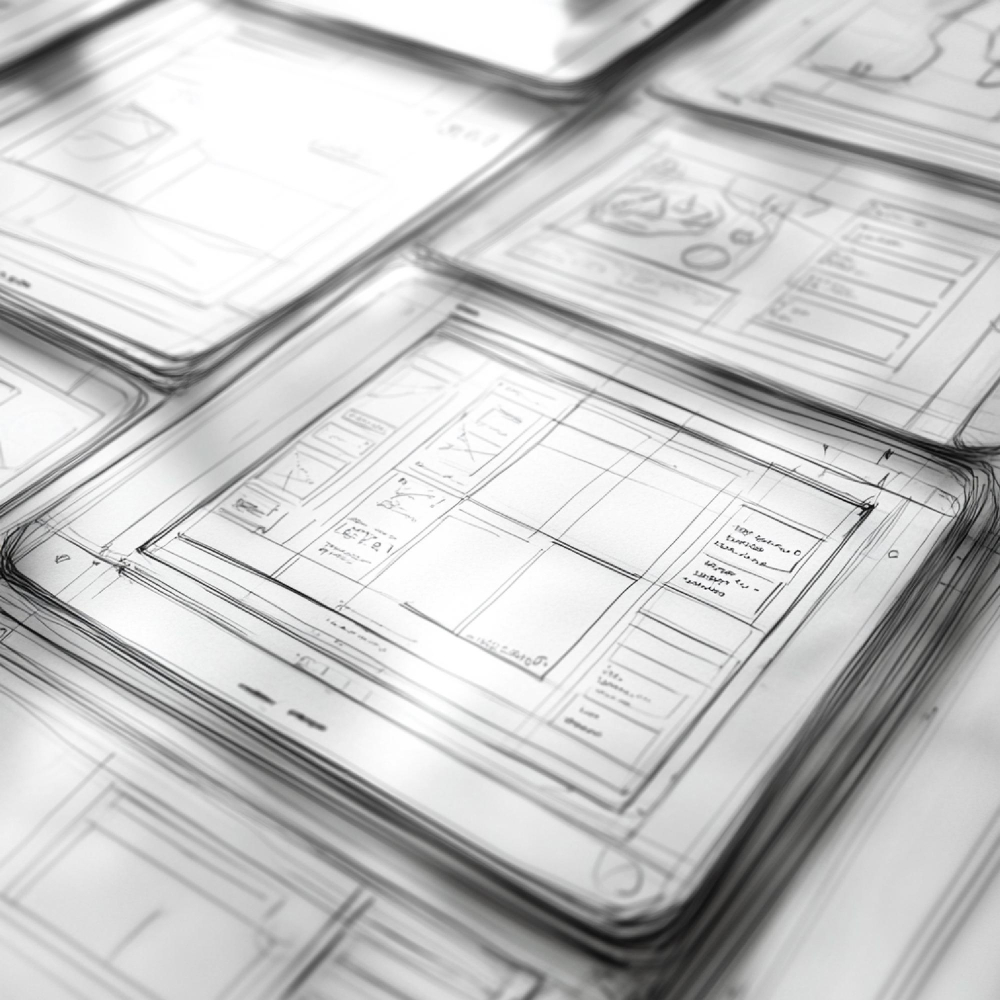
A wireframe is the blueprint of a digital product. It strips away colours, images, and styling so teams can focus purely on structure, layout, and user flow. Think of it as the skeleton of your website, app, or digital interface, showing how each screen fits together before any visual design begins.

A good wireframe lays out the essentials, such as:

  • Core screen layouts

  • Navigation menus and page hierarchy

  • Key UX and UI elements

  • Buttons, forms, and interactive components

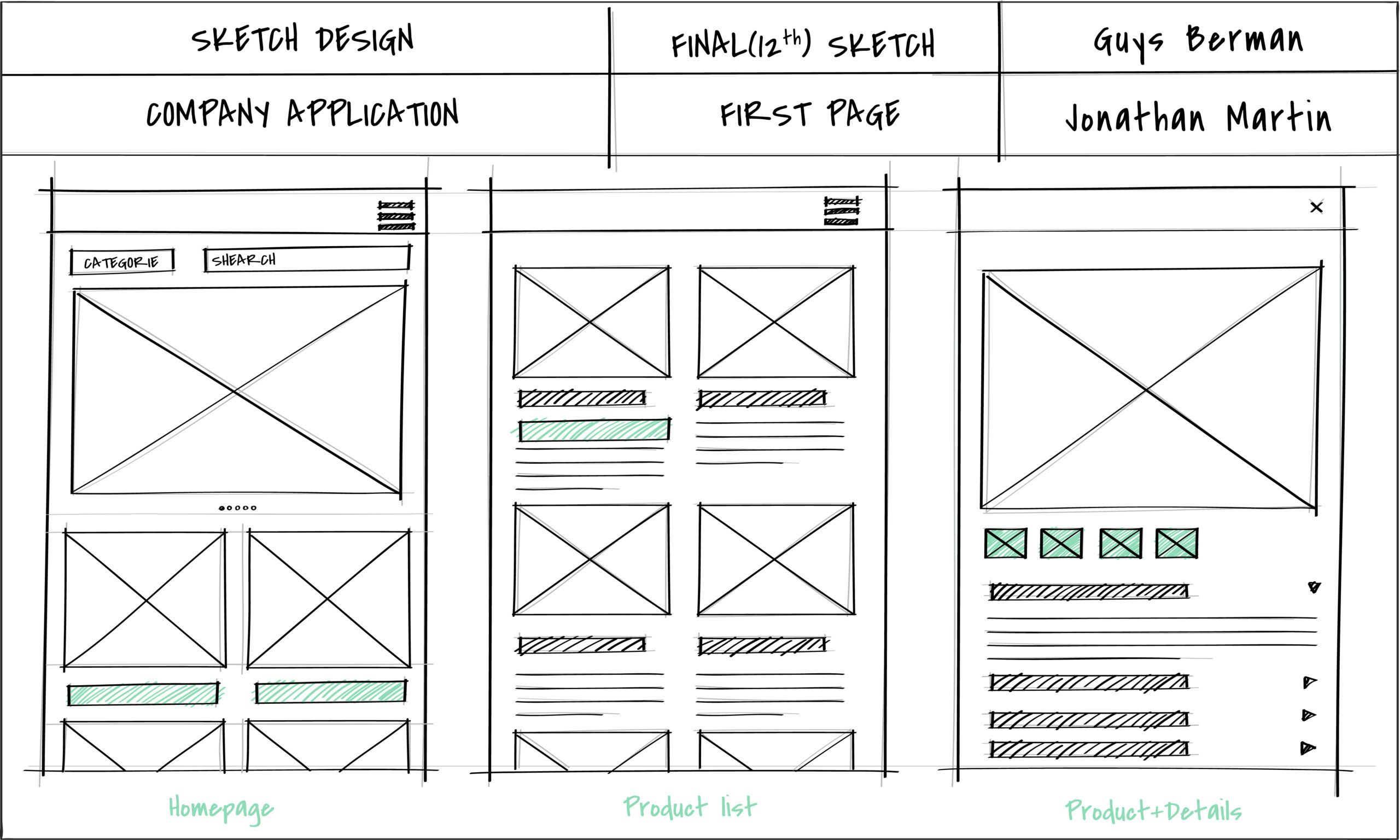
In the early stages, wireframes are usually low-fidelity. They use simple boxes, basic shapes, and placeholder text instead of polished visuals. This keeps everyone aligned on functionality instead of getting distracted by colours, fonts, or branding too early.

Starting with wireframes also gives your UX/UI team more freedom to test ideas quickly. They can experiment with different layouts, validate user flows, and gather feedback before moving into high-fidelity design. By the time the visual design begins, the structure is already clear, the direction is agreed upon, and the user experience is grounded in real logic — not guesswork.

If you’re planning a new website or redesign, wireframing is one of the most important steps to getting it right from day one. MediaPlus Digital can help you turn your business goals into clear, user-first wireframes that set the foundation for a high-performing final design.

What Is a Wireframe

Why Wireframing is Critical for Web Design

In the competitive landscape of web design Singapore, wireframes play a pivotal role in ensuring project success. They provide a clear roadmap that helps teams align their vision, streamline collaboration, and enhance the overall design process.

Benefits of Wireframing:

  • Improved Collaboration: Wireframes act as a visual communication tool that helps designers, developers, and clients stay on the same page. This reduces misunderstandings and ensures that everyone is aligned on the project’s goals.
  • Faster Feedback: Since wireframes are simple and quick to create, they allow for rapid feedback and iteration. This means adjustments can be made early in the process, preventing costly changes later on.
  • Error Detection: Wireframes help identify potential design and usability issues early, allowing teams to address them before moving into the more resource-intensive stages of design and development.

Case Study: Tech Dynamic

At MediaPlus Digital, we worked with Tech Dynamic, a client in the e-waste disposal industry, to create an intuitive and effective website. By developing detailed wireframes, we identified key areas for user interaction and conversion optimization. This meticulous planning resulted in a website that not only met but exceeded the client’s expectations, enhancing both user experience and business outcomes.

3 Types of Wireframe Designs

Wireframes come in different levels of detail depending on where you are in the design process. Most projects move through three main types, each building on the last to help teams refine structure, user flow, and visual direction before development begins.

1. Low-Fidelity Wireframes

Low-fidelity wireframes are the rough sketches of the UX world. They focus only on layout, hierarchy, and how users move from one screen to another. At this stage, everything is intentionally simple — boxes for images, lines for text, and basic placeholders for buttons or forms.

Teams often start on whiteboards or paper when brainstorming, but digital tools like Figma make it much easier to share, review, and iterate quickly. The goal here is clarity, not polish.

Best for:

  • Early planning

  • Defining user flows

  • Quick alignment with stakeholders

2. Mid-Fidelity Wireframes

Mid-fidelity wireframes add more structure and detail. Designers begin refining spacing, sizing, and layout while including clearer labels or annotations to explain interactions. These wireframes help teams compare different approaches and make informed decisions before moving on to visual design.

At this stage, the product starts to feel more realistic, but still avoids full branding or high-detail visuals.

Best for:

  • Mapping core functionality

  • Testing layout variations

  • Stakeholder reviews and UX sign-off

3. High-Fidelity Wireframes

High-fidelity wireframes look close to early mockups. They include visual styling such as typography, brand colours, and logos, and sometimes basic interactivity to support user testing. While not fully functional, they give stakeholders and testers a clear sense of how the final product will feel.

These are especially useful when presenting concepts to clients or validating design decisions with users.

Best for:

  • User testing

  • Presentations and sign-offs

  • Preparing for UI design and development

What Is a Wireframe
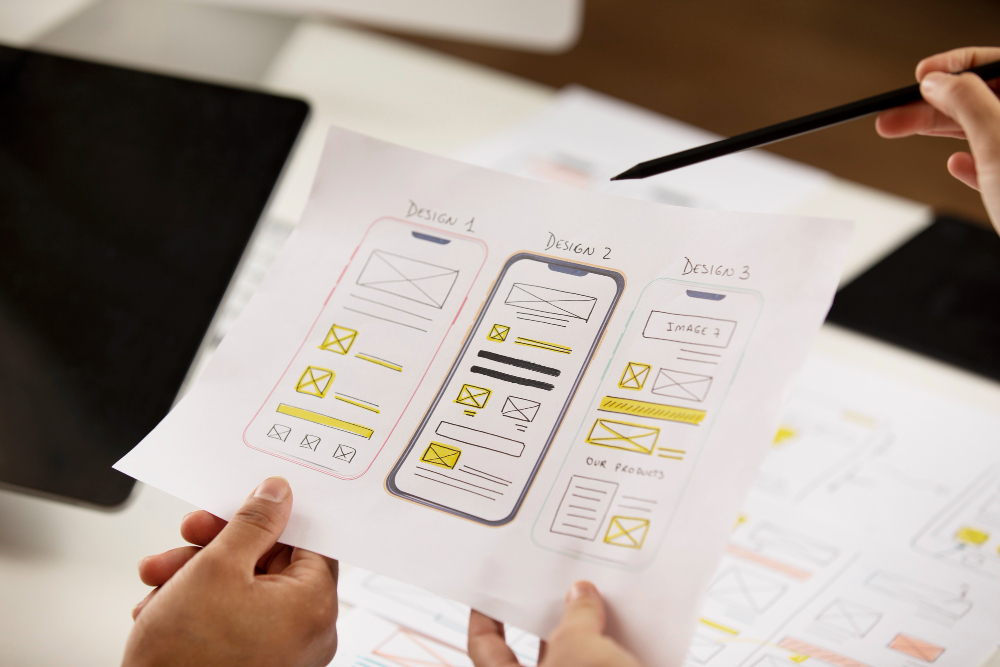
Illustration of web design template

When You Can Skip Wireframe Stages

Most teams assume they must always start with low-fidelity wireframes, then gradually move to mid- and high-fidelity. That flow works well when you’re building something new, testing ideas, or aligning different stakeholders before diving into visuals.

But there are situations where jumping straight into a high-fidelity wireframe is not only acceptable, but more efficient.

If your product already has a well-defined design system and established UI patterns, you’re not reinventing the wheel. Everyone on the team already understands how components behave and how they should look. In cases like these, you can explore ideas at a higher fidelity without distracting conversations about colours or typography.

As Tom puts it, “If you have an established design system, and the design you’re exploring is similar to ones that already exist, conversations probably won’t get sidetracked by visual design details. In these moments, starting at a higher fidelity can be just as fast and just as effective.”

For teams working with mature brands, strong style guides, or repeatable UX patterns, skipping earlier stages can help you move faster while still maintaining design quality.

7 Best Practices for Effective Wireframe Design

A wireframe doesn’t need to be complicated to be useful. It can start as a quick sketch or evolve into a polished, static layout. What matters is how well it helps your team align on structure, flow, and user experience before design or development begins. These best practices will help you create wireframes that move projects forward faster and with fewer revisions.

1. Start with clear design goals

Before drawing a single box, define what the user is trying to accomplish and what action you want them to take. Are you guiding them to make a purchase? Fill out a form? Learn about a service? When everyone shares the same goal, your wireframe becomes a tool that supports purposeful UX decisions rather than guesswork.

2. Choose the right screen size

Your wireframe should reflect the device your audience uses most. A layout that works well on desktop might feel cramped on mobile, and vice versa. As a reference, common sizes include:

  • Mobile: 393 × 852 px
  • Tablet (11”): 834 × 1194 px
  • Desktop: 1440 × 1024 px

Starting with the correct frame helps you solve real layout challenges early.

3. Keep it simple and distraction-free

Great wireframes are intentionally plain. Use grayscale, limit fonts, and replace images with simple shapes. This keeps everyone focused on structure instead of visual design.

For simple concepts, placeholder text works fine. But for content-heavy pages, it’s better to use real text. As Tom notes, “Listing items as 1-2-3-4 isn’t useful when planning real information architecture. That’s when authentic content helps.”

4. Maintain consistency across elements

Buttons, cards, navigation items, and form fields should look consistent throughout your wireframe. Even small variations can confuse both internal teams and developers, leading to unnecessary revisions later. Consistency speeds up user testing and makes handover smoother.

5. Make navigation obvious and intuitive

A strong wireframe makes it easy for users to move around without a second thought. If someone needs a sitemap to understand how pages connect, the navigation structure probably needs refinement. Clear user flows are one of the biggest indicators of good UX at this stage.

6. Stay flexible – your wireframe will evolve

Wireframes are meant to be changed. Even a detailed, high-fidelity version is just a draft until user testing and development feedback shape it further. Treat your wireframe as a collaborative tool, not a finished product.

7. Use the right tools for the job

Modern wireframing tools help teams create, share, test, and refine layouts far more efficiently than static drawings or screenshots. Tools like Figma make it easy to build fast prototypes using drag-and-drop UI elements, comment in real time, and transition into high-fidelity mockups when ready.

What Is a Wireframe

Wireframe Design Checklist

Wireframing gives your team a structured way to plan, build, and collaborate before any visual design or development begins. But how do you know when your wireframe is ready to move into mockups or high-fidelity prototypes? This checklist helps you confirm that your wireframe is complete enough to guide the next phase.

Before moving forward, revisit your initial scope of work. A solid wireframe often reveals gaps, opportunities, and requirements you couldn’t see earlier. Even if your wireframe is a simple grayscale sketch, it should clearly show:

  • The essential screens required to meet user needs
  • How users move through conversion paths or funnels
  • Navigation structure and overall information organisation
  • The main goal of each screen and how users achieve it
  • Key UI elements and content placements
  • How components come together to form reusable screen templates

A lot of beginners skip wireframing because they “just want to start designing.” Others copy existing layouts and hope they’ll fit. That almost always results in a layout that looks okay but fails to support the actual user experience.

Wireframes exist to prevent that. They shift the team’s focus away from colours and branding and back onto clarity, usability, and flow. As Tom says, “A wireframe gives people an early window into the project before you invest time polishing something. Aligning everyone early always saves time later.”

It’s also completely normal for the final design to look very different from the first wireframe. In fact, that’s a good sign. Wireframes give you space to test ideas, adjust flows, and try alternatives long before anything becomes expensive or time-consuming to change. With the structure sorted early, your final interface will feel more intentional and user-friendly.

Strong wireframes put usability first by focusing on:

  • User flows and real use cases
  • Ways to fix potential UX friction points
  • Clear navigation and wayfinding
  • A logical hierarchy of information
  • Consistent page patterns

How to know when your wireframe works

There’s no perfect metric for a wireframe, but you can evaluate its effectiveness in a few practical ways:

  • Run moderated user testing. If users can navigate the flows without being guided or confused, the structure is solid.
  • Check stakeholder alignment. After presenting your wireframe, do people understand the concept? Can the project confidently move to the next step?

If feedback keeps drifting into colours, spacing, or “Can we make this look nicer,” it may be a sign the wireframe is too polished. Removing visual polish often shifts discussions back to user needs and functionality, which is exactly where early feedback should come from.

Why Choose MediaPlus Digital?

When it comes to web design in Singapore, choosing the right partner makes all the difference. At MediaPlus Digital, we don’t just build websites. We create high-performing digital experiences that help businesses grow with confidence.

  • Proven Expertise: With more than a decade of hands-on experience, our team has designed, developed, and launched websites for companies across a wide range of industries. We bring a refined process, strong technical understanding, and a deep appreciation for UX best practices to every project.
  • Certified, Award-Winning Team: Our work is backed by industry-recognised certifications and multiple awards. These aren’t just badges; they reflect our ongoing commitment to quality, innovation, and keeping our standards at the highest level.
  • A Client-First Approach: No two businesses are the same, which is why we take time to understand your goals, audience, and brand positioning. Every website we deliver is tailored to drive real outcomes, whether that means more leads, smoother user journeys, stronger branding, or better conversion rates.

If you’re looking to elevate your online presence with a team that specialises in web design Singapore, we’re here to help.

Ready to take your website to the next level? Reach out for a personalised consultation and let’s map out the right strategy for your business.

You Might Also Like

Is Your Brand Invisible to AI? Find Out Now.

Grab your free AI Visibility Audit to see if AI engines are recommending your services. 100% free, zero obligations.