The Google Display Network is one of the most misunderstood parts of Google Ads. Some advertisers swear by it for reach and awareness. Others see it as a budget leak waiting to happen.
Both views are valid.
This guide breaks down how the Google Display Network actually works, where it performs well, where it goes wrong, and how to use it without wasting spend. The goal is clarity, not hype.
What Is the Google Display Network?
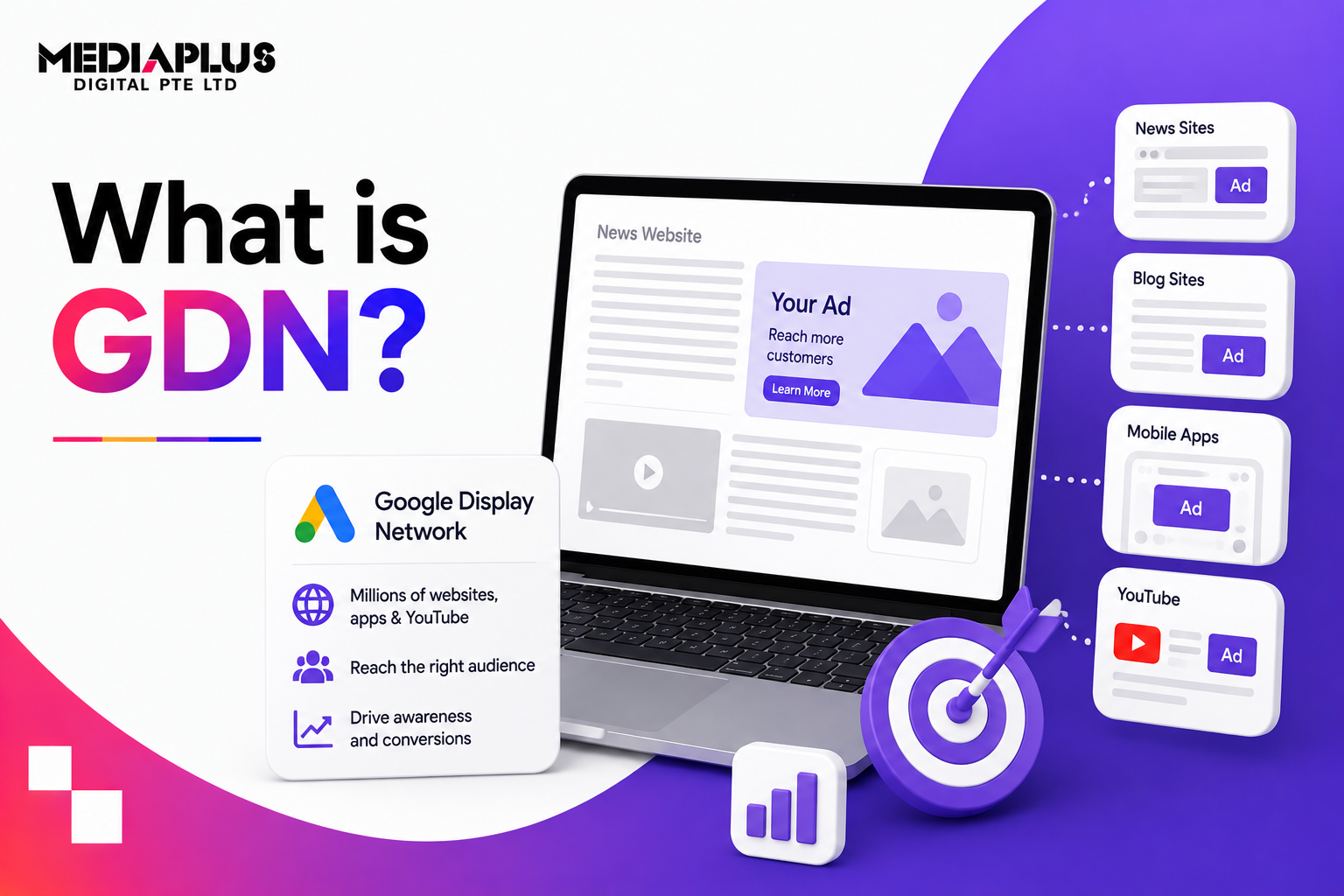
The Google Display Network is a collection of over 2 million websites, mobile apps, and platforms that monetise traffic through Google AdSense. According to Google, the network reaches more than 90% of global internet users, making it broader than Search in sheer reach.
These placements include:
-
News sites and blogs
-
Mobile apps and games
-
YouTube and Gmail inventory
-
Forums and niche content sites
As an advertiser, you bid to show ads in these spaces. When users interact, Google takes a cut and shares revenue with the publisher.
The scale is massive. The quality is mixed. That trade-off defines everything about GDN.
How GDN Differs from Google Search Ads
Google operates two fundamentally different ad environments:
| Search Network | Display Network |
|---|---|
| Intent-driven | Interest-driven |
| Keyword-based | Audience and context-based |
| High conversion intent | High awareness potential |
| Text-focused | Visual, rich media |
Search ads appear when users actively look for something. Display ads appear when users are browsing, reading, or playing.
That difference matters. Display is rarely about immediate conversion. It is about visibility, recall, and assisted influence across the funnel.
What Are Video Partners in Google Ads?
Within the Display Network sits a subset called Video Partners.
Video Partners are third-party websites and apps that support video ad placements outside YouTube. They use the same Google video infrastructure but are not Google-owned properties.
Important nuance:
-
Video Partners are not YouTube
-
Traffic quality is often less consistent
-
Placement control is limited
For most advertisers, Video Partners should be tested carefully or excluded unless there is a clear awareness objective.
How Campaign Types Interact with the Display Network
Not all Google Ads campaigns use the Google Display Network in the same way. Some campaign types are built around it. Others include it by default, often to the advertiser’s surprise. Understanding these differences is critical if you want to control spend, traffic quality, and outcomes.
Below is a deeper breakdown of how each major campaign type interacts with GDN in practice, not just in theory.
Display Campaigns
Display campaigns are the most straightforward. They are designed specifically for the Google Display Network and do not serve on Search at all.
These campaigns are typically used for:
-
Brand awareness
-
Prospecting based on interests or context
-
Remarketing to past visitors
-
Visual storytelling across the funnel
Because Display campaigns live entirely inside GDN, everything revolves around:
-
Audience quality
-
Placement control
-
Creative effectiveness
This is where responsive display ads, placement exclusions, frequency capping, and audience layering matter most. Without ongoing placement reviews, Display campaigns can drift into low-quality apps and websites very quickly.
When run well, Display campaigns are effective at supporting Search and remarketing performance, even if they do not always generate last-click conversions.
Performance Max Campaigns
Performance Max includes Display inventory by default and by design. You cannot fully opt out of GDN within Performance Max.
Instead of manual control, Performance Max relies on:
-
Automated placement selection
-
Audience signals rather than strict targeting
-
Conversion-based Smart Bidding
This means Display performance inside Performance Max is only as good as:
-
Your conversion tracking accuracy
-
The quality of your exclusions
-
The clarity of your campaign goal
If conversions are poorly defined or inflated, the system may over-prioritise low-quality Display placements that generate cheap but meaningless actions.
Performance Max works best when:
-
Conversion events reflect real business value
-
Account-level exclusions are actively managed
-
You regularly review channel performance reports
Without that discipline, Display traffic inside Performance Max can quietly consume budget without delivering impact.
App Campaigns
App campaigns rely heavily on the Display Network, particularly across:
-
Mobile apps
-
Mobile games
-
In-app placements
These campaigns are optimised around installs, in-app actions, or engagement events. The reach is enormous, but traffic quality varies widely.
Common challenges with App campaigns include:
-
Accidental clicks
-
Incentivised installs
-
Low post-install engagement
Because placements are largely automated, success depends on:
-
Strong event mapping inside the app
-
Clear signals sent back to Google Ads
-
Regular analysis of post-install behaviour
For many advertisers, App campaigns work best when paired with strict conversion optimisation rather than raw install volume.
Search Campaigns
Search campaigns technically allow ads to show on the Display Network, but this setting should almost always be turned off.
By default, Google enables “Search Network with Display Expansion” when creating a new Search campaign. This mixes:
-
High-intent Search users
-
Low-intent Display browsers
The result is usually:
-
Inflated impressions
-
Lower click quality
-
Higher CPA
Search users are actively looking for answers or solutions. Display users are not. Blending these two behaviours inside a single campaign makes optimisation nearly impossible.
Best practice is simple:
-
Keep Search campaigns Search-only
-
Evaluate Display traffic separately
-
Never judge Search performance without checking network segmentation
This single setting is one of the most common causes of wasted budget in Google Ads accounts.
Video Campaigns
Video campaigns can extend beyond YouTube by including Video Partners, which are part of the Display Network.
While this expands reach, it also introduces:
-
Less predictable environments
-
Lower-quality inventory
-
Reduced placement transparency
For this reason, many experienced practitioners keep video campaigns focused on YouTube only, especially when:
-
Brand safety matters
-
Audience targeting needs to be precise
-
Measurement accuracy is important
Video Partners can be tested for awareness objectives, but they require close monitoring to avoid dilution of performance signals.
Demand Gen Campaigns
Demand Gen offers more control than Performance Max, especially when it comes to channel selection.
Advertisers can choose whether ads appear on:
-
YouTube
-
Discover
-
Gmail
-
The Display Network
Many teams intentionally restrict Demand Gen to Google-owned properties only, avoiding third-party Display placements altogether. The reasoning is simple:
-
Logged-in users provide better data signals
-
Brand environments are more consistent
-
Traffic quality is typically higher
Demand Gen works well when you want visual storytelling without the unpredictability of the wider Display Network.
Shopping Campaigns
Standard Shopping campaigns do not run directly on the Display Network.
However, product feeds from Google Merchant Center can surface on Display inventory through:
-
Performance Max
-
Display campaigns
-
Demand Gen campaigns
This allows product ads to appear in visual formats across websites and apps. While this expands reach, it also shifts Shopping from high-intent Search into awareness-driven placements.
For ecommerce brands, this can be powerful when:
-
Products have strong visual appeal
-
Remarketing lists are well defined
-
Conversion tracking is robust
Without those foundations, Shopping ads on Display risk becoming impression-heavy and conversion-light.
How to Monitor Google Display Network Performance
GDN performance cannot be judged at a glance. You need to look under the hood.
Segment by Network
Use “Segment → Network” to compare Google Search vs Google Display performance. This is essential for identifying accidental spend leaks.
Placements Report
Navigate to:
Insights & Reports → Where ads showed
This reveals:
-
Websites
-
Apps
-
YouTube channels
Irrelevant or spammy placements should be excluded, just like negative keywords in Search.
Performance Max Channel Report
If running Performance Max, use the channel performance report to isolate Display performance from other channels.
How Targeting Works on the Display Network
Display targeting works through audience signals and content context.
Audience Targeting
- Affinity Audiences: Based on long-term interests. Good for awareness, weak for direct response unless refined.
- In-Market Audiences: Users actively researching products or services. Often more effective but still broad.
- Demographic Targeting: Age, gender, household income, parental status. Best used as layers, not standalone filters.
- Remarketing: One of the strongest use cases for GDN. Targets users who already interacted with your site, app, or content.
- Custom Intent Audiences: Built from keywords, URLs, and app usage signals. Often outperform default affinity segments when properly configured.
Content Targeting
- Keyword Targeting: Ads appear on pages related to chosen keywords, not search queries.
- Topic Targeting: Places ads within defined content categories. More control than affinity, less precision than placements.
- Placement Targeting: Manual selection of specific websites, apps, or YouTube channels. Highest control, lowest scale.
Ad Formats on the Google Display Network
Standard Image Ads
Static image banners in fixed sizes such as:
-
300 × 250
-
728 × 90
-
160 × 600
Studies consistently show 300 × 250 and 728 × 90 formats deliver higher impression volume, while larger formats often generate stronger engagement.
Responsive Display Ads
Upload multiple images, logos, headlines, and descriptions. Google automatically assembles combinations to fit available placements.
Advantages:
-
Less creative production effort
-
Better reach across formats
-
Automated optimisation over time
For most advertisers, responsive display ads are the default starting point.
Best Practices to Reduce Wasted Spend
Wasted spend is one of the most common frustrations advertisers face on the Google Display Network. Because GDN offers massive reach across millions of websites and apps, it is easy for budgets to leak into placements that generate clicks but no real business value. The key is proactive control, not reactive fixes.
Below are practical, battle-tested best practices to minimise wasted spend while keeping the upside of Display advertising.
Control Platforms and Devices From the Start
Not every product or service performs equally across devices.
If you sell desktop-based software, B2B tools, or services that require long-form research, mobile app placements often deliver poor outcomes. Many mobile clicks happen accidentally, especially inside games or free apps, where users are trying to close ads rather than engage with them.
According to Google Ads benchmarks, mobile Display CTR can be higher than desktop, but conversion rates are often significantly lower for complex or high-consideration offers.
What to do in practice:
-
Segment performance by device early
-
Reduce or exclude mobile app inventory if conversions are weak
-
Avoid assuming higher CTR equals better performance
Device-level optimisation alone can cut wasted spend dramatically within the first few weeks of a campaign.
Exclude Poor Locations Early and Continuously
Placement quality is one of the biggest drivers of Display efficiency.
Low-quality mobile apps, casual games, and click-heavy websites are frequent budget drains. These placements can generate thousands of impressions and clicks with little to no conversion intent.
Regular placement reviews are not optional. They are essential.
A common best practice among experienced advertisers is:
-
Weekly placement reviews in the first month
-
Ongoing monthly reviews once performance stabilises
-
Immediate exclusions for irrelevant or suspicious placements
Industry audits consistently show that removing just the bottom 10–20 percent of placements can improve Display CPA by 30 percent or more, without reducing meaningful reach.
Watch CTR Spikes With Skepticism
On Display, unusually high CTR is often a warning sign, not a win.
In Search campaigns, high CTR usually signals strong relevance. On Display, it can indicate:
-
Accidental taps on mobile
-
Misleading creatives
-
Click-happy app environments
-
Poor placement quality
If you see a sudden CTR spike but no corresponding lift in conversions, time on site, or engagement, investigate immediately.
Look at:
-
Placement reports
-
Device breakdowns
-
Bounce rates and session duration
Healthy Display performance shows balanced metrics, not just impressive CTR.
Apply Bid Adjustments Based on Real Outcomes
Not all impressions are equal, and bids should reflect that reality.
Increase bids only where you see:
-
Consistent conversions
-
Meaningful engagement
-
Assisted conversion value in analytics
At the same time, reduce bids aggressively or exclude:
-
Placements with high spend and zero conversions
-
Audiences that never move past awareness
-
Devices or locations that inflate costs without impact
Smart bidding can help, but it still needs guardrails. Without exclusions and bid discipline, algorithms optimise for volume, not value.
How Much Do Google Display Network Campaigns Cost?
Costs vary by:
-
Industry
-
Targeting breadth
-
Creative quality
-
Bidding strategy
Many businesses spend anywhere from a few hundred to tens of thousands per month on Display. The platform is flexible, but flexibility without control leads to waste.
Google Ads overall continues to show strong ROI potential, but Display requires tighter monitoring than Search.
Are Google Display Ads Right for Your Business?
Google Display Network is neither good nor bad by default.
It works best when:
-
Brand awareness is a priority
-
Remarketing is central to the strategy
-
Creative storytelling matters
-
Conversion tracking is solid
It struggles when:
-
Immediate ROI is the only KPI
-
Placements are not reviewed
-
Targeting is left too broad
-
Budgets are small and unmanaged
Used deliberately, GDN supports the funnel. Used blindly, it burns budget quietly.
How GDN Fits Into a Broader Digital Strategy
Display ads rarely work well in isolation. They perform best when they support other channels like Search, remarketing, and a solid landing page experience.
In a healthy Google Ads setup, GDN plays an assist role. It builds familiarity, reinforces brand cues, and keeps your message visible while users are still in research or browsing mode. Many conversions attributed to Search or Direct traffic are influenced earlier by Display exposure, even if GDN never gets last-click credit.
For businesses already investing in paid Search or conversion-focused landing pages, Display helps:
-
Increase brand recall before high-intent searches happen
-
Support remarketing by staying visible across the web
-
Shorten decision cycles through repeated visual exposure
This is especially important in competitive markets where users compare options over days or weeks, not minutes.
At this stage, many teams bring in specialists to audit placements, refine targeting, and align Display performance with business outcomes, not impressions or reach alone.
This is where a structured Google Display Ads service becomes valuable. At MediaPlus Singapore, Display campaigns are treated as part of a full-funnel system. The focus is on:
-
Placement audits to eliminate low-quality inventory
-
Audience layering tied to Search and remarketing data
-
Creative alignment with brand and landing page messaging
-
Conversion-based bidding and assisted conversion analysis
Instead of chasing cheap clicks, the goal is to make Display support measurable growth across the account.
Final Thoughts
The Google Display Network is unavoidable in today’s automated Google Ads ecosystem.
Understanding where it adds value and where it needs strict controls is what separates profitable campaigns from wasted spend.
If you treat GDN as a visibility tool with disciplined monitoring, it can support growth across Search and remarketing.
If you expect Search-level intent from it, it will disappoint.
Used with intention, Display becomes a strategic layer in your acquisition stack, not a liability.