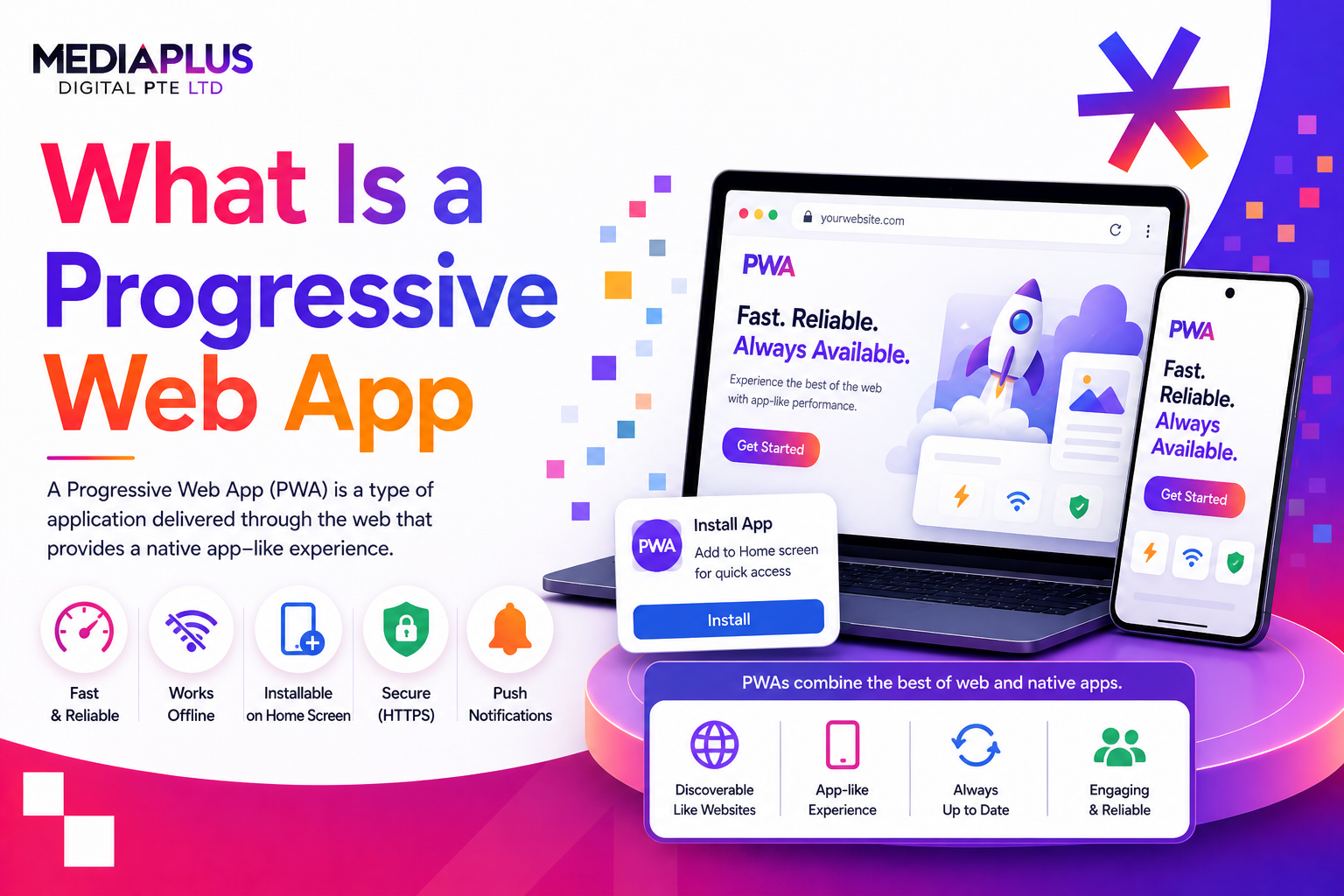
A Progressive Web App (PWA) is a website built with modern web technologies that delivers an app-like experience to users. PWAs can be installed on a device’s home screen, work offline, send push notifications, and load almost instantly, all without requiring a download from an app store.
First introduced by Google in 2015, PWAs bridge the gap between websites and native apps. They give businesses the reach of the web combined with the engagement of an app, at a fraction of the development cost. Companies like Twitter, Pinterest, Starbucks, and Spotify use PWAs to serve millions of users.
How Do Progressive Web Apps Work?
Three core technologies make a PWA possible:
Service Workers
A service worker is a JavaScript file that runs in the background, separate from the main web page. It intercepts network requests, caches resources, and enables offline functionality. Think of it as a programmable proxy between your app and the network.
- Caches pages, images, and data for offline access.
- Handles background sync (updating data when connectivity returns).
- Enables push notifications even when the browser is closed.
Web App Manifest
The web app manifest is a JSON file (manifest.json) that tells the browser how your app should behave when installed. It defines the app name, icons, theme colour, display mode (fullscreen, standalone), and start URL. This is what makes the “Add to Home Screen” experience possible.
HTTPS
PWAs require HTTPS to ensure secure data transmission. Service workers only run on secure connections. This is a hard requirement, not optional.
Key Characteristics of a PWA
- Progressive: Works for every user regardless of browser, using progressive enhancement.
- Responsive: Fits any form factor (phone, tablet, desktop).
- Connectivity-independent: Works offline or on slow networks via service workers.
- App-like: Feels like a native app with smooth navigation and transitions.
- Safe: Served over HTTPS to prevent tampering.
- Discoverable: Indexed by search engines (unlike native apps).
- Re-engageable: Push notifications bring users back.
- Installable: Users can add to home screen without an app store.
- Linkable: Shareable via URL, no installation required to access.
PWA vs Native Apps vs Traditional Websites
|
Feature |
PWA |
Native App |
Traditional Website |
|
Installation |
Optional (from browser) |
Required (from app store) |
None (browser only) |
|
Offline access |
Yes (service workers) |
Yes (full) |
No |
|
Push notifications |
Yes (iOS 16.4+) |
Yes |
No |
|
Performance |
Good (improving rapidly) |
Best |
Varies |
|
Device hardware access |
Partial (camera, GPS, Bluetooth) |
Full |
Very limited |
|
SEO / Search indexable |
Yes |
No |
Yes |
|
Development cost |
Low (single codebase) |
High (per platform) |
Low |
|
Updates |
Instant (no review) |
App store review required |
Instant |
|
App store presence |
Optional (via TWA) |
Required |
N/A |
|
Storage on device |
Limited |
Unlimited |
None (cache only) |
For a detailed comparison, read our guide on progressive web apps vs native apps.
Benefits of Progressive Web Apps
For Businesses
- Lower development cost: One codebase works across all platforms. Typically 50-70% cheaper than building native apps for both iOS and Android.
- SEO and discoverability: PWAs are indexed by search engines, driving organic traffic that native apps cannot access.
- Higher engagement: Push notifications, home screen presence, and offline access increase user retention.
- Instant updates: Deploy changes immediately without waiting for app store approval.
- No app store commission: Avoid the 15-30% revenue cut that Apple and Google take on in-app purchases.
For Users
- No app store download required. Access instantly via URL or install with one tap.
- Low storage footprint. Starbucks’ PWA is 99.84% smaller than its iOS app.
- Works on slow or unreliable networks.
- Always up to date without manual updates.
PWA Limitations and Challenges
PWAs are not perfect. Being honest about their limitations helps you make a better decision:
iOS/Safari Restrictions
- Storage limits: iOS may clear cached PWA data after a period of inactivity.
- Engine restriction: All browsers on iOS must use WebKit, limiting PWA capabilities.
- Background sync is not supported on iOS.
- Push notifications work only after the user installs the PWA to their home screen (supported since Safari 16.4).
Limited Hardware Access
- No access to contacts, calendar, or advanced sensors.
- Bluetooth and NFC support varies by platform (better on Android, limited on iOS).
- AR/VR capabilities are limited compared to native ARKit/ARCore.
- Background processing is very restricted.
Discoverability and Awareness
Many users do not know what a PWA is. They may not realise they can “install” a website. The “Add to Home Screen” prompt is less intuitive than downloading from an app store. Educating users about installation is an ongoing challenge.
Real-World PWA Examples and Results
|
Company |
PWA Impact |
Key Metric |
|
Twitter Lite |
+75% tweets sent, +65% pages per session, -20% bounce rate |
Data usage reduced by 70% |
|
|
+60% engagement, +44% ad revenue, +40% time spent |
843% increase in mobile sign-ups (WeWeb data) |
|
Starbucks |
PWA is 99.84% smaller than iOS app |
23% increase in daily active users |
|
AliExpress |
+104% conversion rate for new users |
76% higher conversion across browsers |
|
Uber |
Core ride-request experience loads in 3 seconds on 2G |
Works on low-end devices in emerging markets |
|
Spotify |
Web player serves 400M+ users |
Instant access without app store download |
Browser Compatibility in 2026
|
Feature |
Chrome |
Edge |
Firefox |
Safari (iOS/macOS) |
|
Service workers |
Full |
Full |
Full |
Full |
|
Web app manifest |
Full |
Full |
Full |
Full |
|
Push notifications |
Full |
Full |
Full |
Yes (since 16.4, home screen install required) |
|
Background sync |
Full |
Full |
Full |
Not supported |
|
Installation prompt |
Full |
Full |
Partial |
Manual (Add to Home Screen) |
|
Offline capability |
Full |
Full |
Full |
Full (with storage limits) |
Chrome and Edge offer the most complete PWA support. Safari has made significant progress since 2023 but still lags in background sync and installation prompts. For a Singapore audience where iOS market share is approximately 35%, these limitations are worth considering.
When Should You Build a PWA?
A PWA is a good fit when…
- SEO and organic search are important acquisition channels.
- Your audience uses diverse devices and platforms.
- Budget is limited (under $50,000 for initial development).
- Your app is content-driven, informational, or e-commerce focused.
- Speed to market is critical.
- You want to avoid app store commissions and review processes.
A native app is better when…
- You need advanced hardware features (AR, biometrics, background processing).
- Performance is critical (gaming, video processing, real-time communication).
- You plan to monetise through in-app purchases via app stores.
- Your app requires extensive offline data storage.
For the full three-way comparison, see our guide on native app vs hybrid app vs PWA.
PWA vs Hybrid Frameworks (React Native, Flutter)
PWAs and hybrid frameworks solve a similar problem (cross-platform development) differently:
|
Aspect |
PWA |
Hybrid (React Native / Flutter) |
|
Runs in |
Browser |
Native container |
|
App store required |
No |
Yes |
|
Hardware access |
Limited |
Most features via plugins |
|
Performance |
Good |
Very good (near-native) |
|
Development cost |
Lowest |
Medium |
|
SEO / Indexable |
Yes |
No |
|
Offline |
Service workers (limited storage) |
Full local storage |
Read more about native vs cross-platform apps for a deeper comparison of development frameworks.
Frequently Asked Questions
What is a progressive web app in simple terms?
A PWA is a website that behaves like a mobile app. It can be installed on your phone, work without internet, send notifications, and load fast, but you access it through a web browser or home screen shortcut instead of downloading it from an app store.
Do PWAs work offline?
Yes. PWAs use service workers to cache pages and data, allowing users to access previously loaded content without an internet connection. The extent of offline functionality depends on what the developer chooses to cache.
Do PWAs work on iPhone?
Yes, with some limitations. iOS supports PWA installation and push notifications (since Safari 16.4). However, iOS restricts background sync, limits storage, and requires the WebKit engine for all browsers, which limits some advanced PWA features.
Are PWAs better than native apps?
It depends on your needs. PWAs are better for cost, SEO, and cross-platform reach. Native apps are better for performance, hardware access, and platform-specific features. Many businesses start with a PWA and add native apps later if needed.
How much does a PWA cost to build?
A PWA typically costs $15,000 to $50,000 for initial development. This is significantly less than native apps ($30,000 to $120,000+ per platform) because a single codebase works across all devices.
Can PWAs be published to app stores?
Yes. PWAs can be published to Google Play Store using Trusted Web Activity (TWA). Apple’s App Store is more restrictive and may reject PWA wrappers. Tools like PWABuilder and Capacitor help package PWAs for store distribution.
What are some examples of PWAs?
Popular PWAs include Twitter Lite, Pinterest, Starbucks, Spotify (web player), Uber, and AliExpress. These companies use PWAs to reach users who prefer not to download native apps.
Key Takeaways
- A PWA is a website enhanced with app-like features: offline access, push notifications, home screen installation, and fast loading.
- Three core technologies power PWAs: service workers, web app manifest, and HTTPS.
- PWAs are fully indexable by search engines, giving them an SEO advantage over native apps.
- Development costs are 50-70% lower than native because of a single codebase.
- iOS support has improved significantly but still lags behind Android in background sync and storage.
- PWAs are ideal for content, e-commerce, and informational apps. Native apps are better for gaming, AR, and hardware-intensive use cases.
Need Help Building a PWA?
At MediaPlus Digital, we build progressive web apps and responsive websites that deliver app-like experiences. Explore our web design and development services or our mobile app development services.