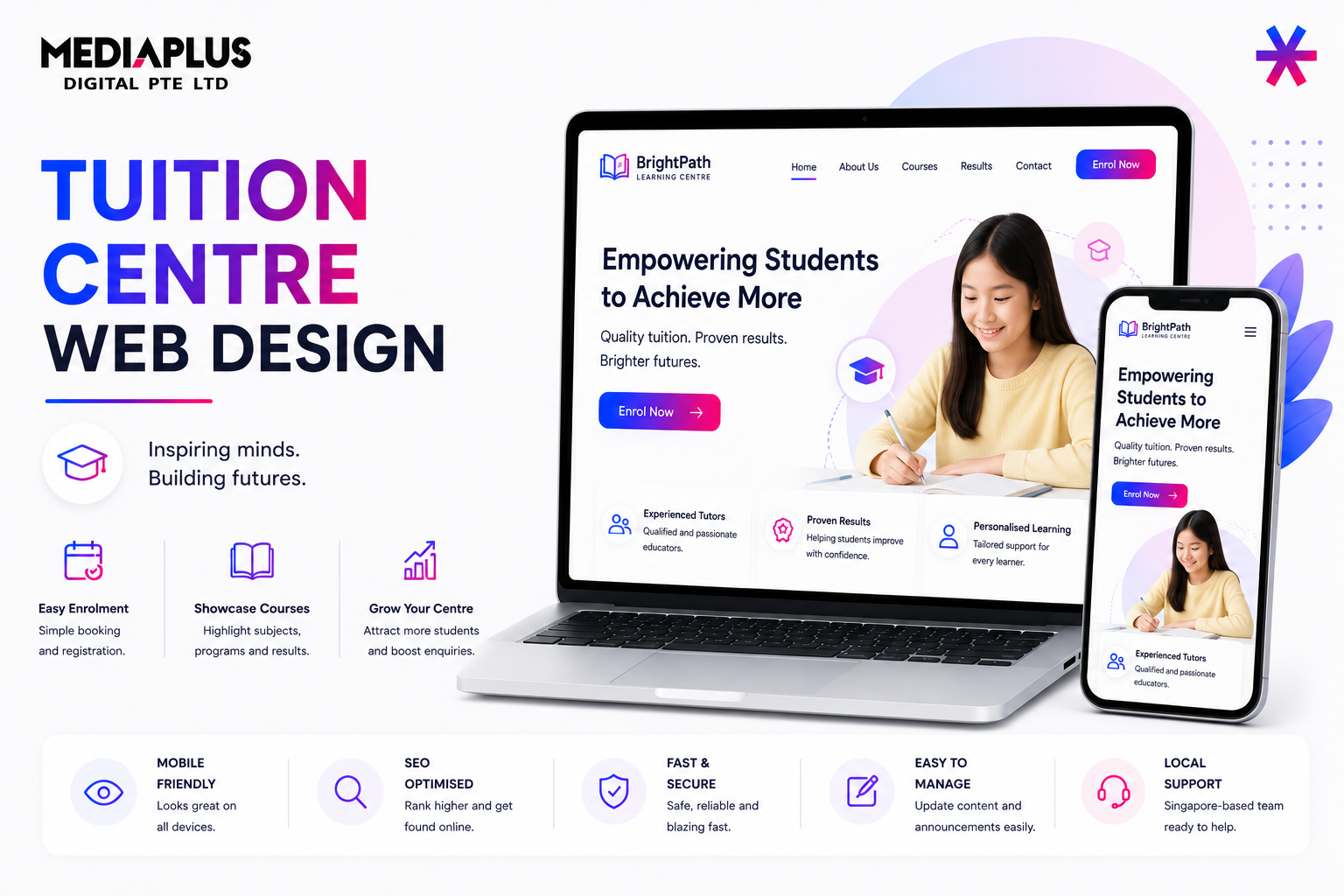
Singapore parents research before they enrol. They compare centres, check tutor credentials, read results, and look for proof a programme works, all before stepping in. This is a detailed guideline for designing a tuition centre website that builds parent trust, displays the right compliance, and turns visitors into trial sign-ups.
It applies our core web design principles to the education sector in Singapore.
Two Audiences: Parents Decide, Students Use
Parents make the decision and pay, so they need credibility, results, schedule, and pricing. Students attend, so the tone should feel encouraging, not purely transactional. The homepage speaks mainly to parents; programme pages should reassure both.
|
Reader |
What they look for |
|
Parent |
Tutor credentials, results, fees, location, trial options, safety |
|
Student |
Whether classes look engaging and the subjects they need |
Page-by-Page Blueprint
Homepage, section by section
- Hero: who you teach, which levels and subjects, and a primary CTA (Book a Free Trial or Assessment).
- Programmes overview: a grid by level (Primary, Secondary, JC) and subject, each linking to a detail page.
- Why parents choose us: small class sizes, tutor quality, methodology, and measurable improvement.
- Results and testimonials: honest, specific social proof from parents and students.
- Tutor highlights: featured profiles with qualifications and teaching philosophy.
- Trust band: MOE or CPE Certificate of Registration, awards, and years in operation.
- Closing CTA: trial booking with form, WhatsApp, and phone options.
Core inner pages
|
Page |
Must contain |
|
Programme / subject page |
Syllabus alignment, methodology, schedule, fees, sample materials, CTA |
|
Tutor profiles |
Qualifications, experience, subjects, and teaching philosophy |
|
Results / testimonials |
Specific, honest outcomes and parent quotes |
|
About / our approach |
Teaching philosophy, class sizes, and centre values |
|
Schedule and fees |
Clear timetable and transparent pricing |
|
Contact and locations |
Map, hours, MRT access, PDPA-compliant enquiry form |
Must-Have Features, in Detail
Trial class or free assessment as the primary conversion
The trial sign-up is the most important action on the site. Treat it like a dedicated landing page: one clear goal, minimal fields, visible reassurance, and an immediate confirmation. The easier you make that first step, the more parents take it. Optimise it continuously like any landing page.
Online registration and payment
Parents expect to enrol and pay online. Provide a streamlined registration flow with a secure payment gateway, the ability to choose a programme and time slot, and an email confirmation. The path from browsing a subject to enrolling should be seamless.
Clear programmes, pricing, and subject pages
Each subject page should show the syllabus alignment, the teaching methodology, sample materials, the class schedule, and transparent fees. Hiding prices forces a WhatsApp message that many parents will not send.
MOE Compliance and Data Privacy Guideline
- Display your MOE or CPE Certificate of Registration on the website and in the centre.
- Follow education guidelines on information accuracy and appropriate content.
- Handle student and parent data with PDPA-compliant forms and clear consent.
- Keep testimonials and results claims honest and verifiable.
Content Writing Guidelines
- Speak to the parent’s goal: confidence, grades, and a happier child.
- Be specific. Replace excellent results with concrete, honest improvements.
- Use level and subject vocabulary parents search (PSLE Math, O-Level English).
- Keep tone warm and reassuring, never high pressure.
- End every programme page with a trial CTA.
Visual and Design Guidelines
- Palette: friendly and trustworthy (blues, greens, warm accents), bright but not childish.
- Typography: a clean, highly readable sans-serif. See the font selection guide.
- Imagery: real photos of the centre, tutors, and classes beat stock classroom images.
- Use icons and short blocks so busy parents can scan quickly on mobile.
Conversion and Local SEO
- Repeat the trial CTA in the header, after each programme block, and in the footer, using a clear call to action.
- Offer WhatsApp alongside the form, since many Singapore parents prefer it.
- Optimise your Google Business Profile for each location.
- Target local search intent such as Math tuition Tampines.
Performance, Mobile, and Common Mistakes
- Design mobile-first, since parents browse on phones.
- Pass Core Web Vitals so pages load fast on mobile data.
Common mistakes to avoid:
- Hiding fees and schedules behind an enquiry.
- A clunky or hidden trial sign-up.
- No visible MOE or CPE registration.
- Generic stock photos instead of the real centre and tutors.
- Vague claims with no honest, specific proof.
Pre-Launch Checklist
- Trial booking works on mobile with confirmation.
- Every programme has fees, schedule, and a CTA.
- MOE or CPE certificate displayed.
- Forms PDPA compliant with consent.
- Tutor profiles complete and photographed.
- Google Business Profile claimed for each location.
Cost and Funding
A professional tuition centre website typically starts around S$2,500 to S$6,000; see our web design cost guide. SME centres may offset cost via the PSG web development grant.
Build a Tuition Website That Fills Classes
MediaPlus designs trust building, enrolment focused education websites through our web design services. See our portfolio, or get in touch for a consultation.
Related Reads