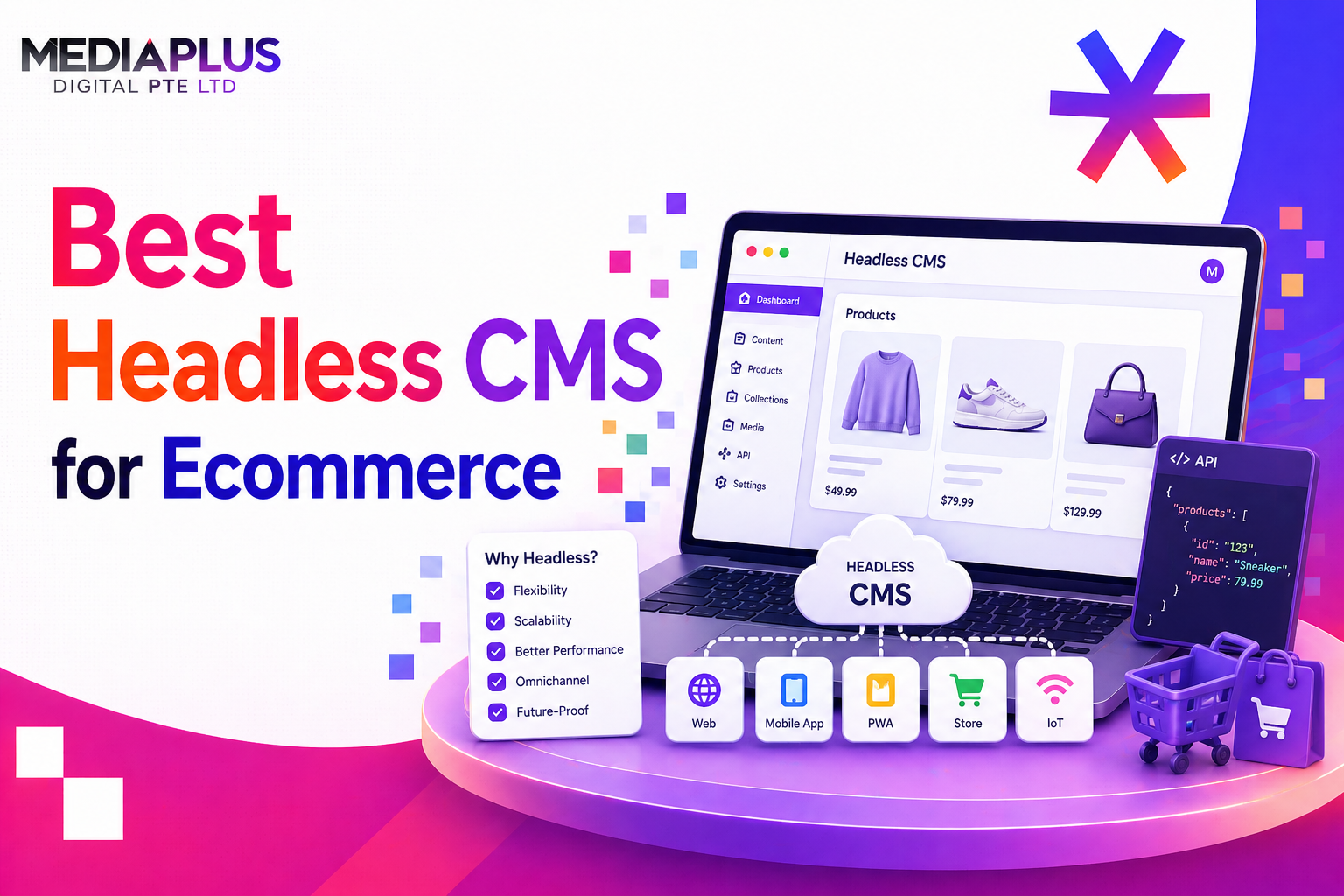
The headless CMS market is projected to grow from $3.94 billion to $22.28 billion by 2034. For ecommerce businesses, going headless means faster page loads, omnichannel content delivery, and complete freedom over your frontend experience.
But with dozens of platforms available, choosing the right headless CMS for your online store is overwhelming. This guide reviews the 10 best options with honest assessments of pricing, ecommerce integrations, developer experience, and content editing capabilities.
What Is a Headless CMS for Ecommerce?
A headless CMS manages your content (product descriptions, landing pages, blog posts, banners) separately from your frontend and commerce engine. Content is delivered via APIs to any frontend: website, mobile app, smart display, or marketplace.
In an ecommerce context, a headless CMS works alongside your commerce platform (Shopify, BigCommerce, commercetools) rather than replacing it. The CMS handles content; the commerce engine handles products, inventory, payments, and orders.
Headless CMS vs Traditional CMS for Ecommerce
|
Aspect |
Traditional CMS (e.g. WordPress + WooCommerce) |
Headless CMS + Commerce Engine |
|
Architecture |
Monolithic (content + frontend coupled) |
Decoupled (content via API, frontend independent) |
|
Page speed |
Depends on hosting, plugins, caching |
Typically faster (static generation, CDN-first) |
|
Omnichannel |
Website only |
Any channel (web, app, kiosk, smart display) |
|
Frontend freedom |
Limited to theme system |
Any framework (Next.js, Nuxt, Astro) |
|
Content reuse |
One page at a time |
Write once, publish everywhere |
|
Security |
Larger attack surface (plugins) |
Smaller attack surface (no public admin) |
|
Cost |
Lower initial cost |
Higher initial cost, potentially lower long-term |
|
Best for |
Small-medium stores, content-heavy sites |
Multi-channel brands, performance-critical stores |
For a deeper architecture comparison, read our guide on headless CMS vs WordPress.
Quick Comparison: 10 Best Headless CMS for Ecommerce
|
Platform |
Type |
Best For |
Ecommerce Integrations |
Starting Price |
|
Strapi |
Open-source, self-hosted |
Full control, no vendor lock-in |
Shopify, Medusa, Saleor, Stripe |
Free (self-hosted) |
|
Contentful |
SaaS |
Enterprise content operations |
Shopify, BigCommerce, commercetools |
Free tier; $300/mo (Team) |
|
Sanity |
SaaS + open-source studio |
Developer-led teams, real-time collaboration |
Shopify, BigCommerce, Medusa |
Free tier; $99/mo (Team) |
|
Storyblok |
SaaS |
Visual editing + ecommerce content |
Shopify, BigCommerce, commercetools |
Free tier; $99/mo (Business) |
|
Payload CMS |
Open-source, Next.js native |
TypeScript teams, code-first approach |
Any via API (custom integration) |
Free (self-hosted) |
|
Prismic |
SaaS |
Component-driven content, marketers |
Shopify, BigCommerce, custom |
Free tier; $100/mo (Small) |
|
Hygraph |
SaaS |
GraphQL-native, content federation |
Shopify, commercetools, BigCommerce |
Free tier; custom pricing |
|
Contentstack |
SaaS |
Enterprise composable commerce |
Shopify, BigCommerce, Salesforce Commerce |
Custom pricing (enterprise) |
|
ButterCMS |
SaaS |
Simplicity and speed to launch |
Shopify, BigCommerce, WooCommerce |
Free tier; $83/mo (Small) |
|
DatoCMS |
SaaS |
Media-heavy ecommerce, image management |
Shopify, BigCommerce, Snipcart |
Free tier; $99/mo (Professional) |
10 Best Headless CMS Platforms for Ecommerce (2026)
1. Strapi
Best for full control and no vendor lock-in
Strapi is the leading open-source headless CMS with 65,000+ GitHub stars. You self-host it, meaning complete ownership of your data and infrastructure. For ecommerce, Strapi connects to Shopify, Medusa, Saleor, and any commerce API via its plugin system and custom integrations.
Key features:
- 100% open-source (MIT licence)
- Self-hosted or Strapi Cloud
- REST and GraphQL APIs
- Custom content types and relations
- Role-based access control
- Plugin marketplace
Pricing: Free (self-hosted); Strapi Cloud from $29/mo
Pros: Full data ownership, no vendor lock-in, massive community, unlimited customisation
Cons: Self-hosting requires DevOps skills, no built-in visual editor, steeper learning curve for non-developers
2. Contentful
Best for enterprise content operations at scale
Contentful is the enterprise standard for headless CMS, used by brands like IKEA, Spotify, and Staples. Its content infrastructure handles complex product content models, localisation across 50+ languages, and high-volume publishing workflows. Strong Shopify and commercetools integrations.
Key features:
- Enterprise-grade API infrastructure
- Content modelling with relationships and references
- 50+ language localisation
- Composable content with App Framework
- Webhooks and workflow automation
Pricing: Free tier (5 users); Team $300/mo; Enterprise custom
Pros: Battle-tested at scale, excellent API documentation, strong enterprise support, massive integration ecosystem
Cons: Expensive at scale (pricing by API calls), steep learning curve for content editors, no visual editing by default
3. Sanity
Best for developer-led teams wanting maximum flexibility
Sanity offers a unique approach: the content studio is open-source and fully customisable with React components. Real-time collaboration (like Google Docs for content) makes it excellent for teams. Its GROQ query language is powerful for complex content queries. Strong Shopify integration via the official Sanity Connect app.
Key features:
- Open-source, customisable studio
- Real-time collaborative editing
- GROQ + GraphQL query support
- Structured content with portable text
- Sanity Connect for Shopify
Pricing: Free tier (3 users); Team $99/mo; Enterprise custom
Pros: Most customisable studio, real-time collaboration, generous free tier, excellent developer experience
Cons: Learning curve for GROQ, content studio customisation requires React knowledge, visual editing is add-on (Sanity Visual Editing)
4. Storyblok
Best for visual editing combined with headless architecture
Storyblok solves the biggest complaint about headless CMS: the lack of visual editing. Its Visual Editor lets content teams see exactly how content will look on the live site while editing. For ecommerce, this means marketing teams can create and modify landing pages, promotional banners, and content blocks without developer support.
Key features:
- Visual Editor (live preview while editing)
- Component-based content architecture
- Multi-language and multi-site support
- Shopify, BigCommerce, commercetools integrations
- Asset manager with image optimisation
Pricing: Free tier (1 user); Business $99/mo; Enterprise custom
Pros: Best visual editing experience, empowers non-technical content teams, strong ecommerce integrations, good localisation
Cons: Component-first approach requires upfront planning, free tier limited to 1 user, custom field types limited vs Sanity/Strapi
5. Payload CMS
Best for Next.js teams and code-first development
Payload is the fastest-growing open-source headless CMS in 2026, built natively on Next.js and TypeScript. It lives inside your Next.js app as a dependency, meaning zero infrastructure overhead. For ecommerce, Payload excels when you want the CMS and storefront in a single Next.js codebase.
Key features:
- Built into Next.js (single deployment)
- TypeScript-native with auto-generated types
- Rich text with Lexical editor
- Access control with field-level permissions
- File uploads with image resizing
Pricing: Free (self-hosted); Payload Cloud from $35/mo
Pros: Next.js native (no separate CMS deployment), TypeScript-first, fast-growing community, extremely flexible
Cons: Newer platform (smaller ecosystem), requires TypeScript/Next.js skills, no visual editor, limited pre-built ecommerce plugins
6. Prismic
Best for component-driven content and marketing teams
Prismic takes a “Slice” approach: reusable content components that marketers can assemble into pages without developer help. For ecommerce, Slices work well for building promotional landing pages, category pages, and content-rich product experiences.
Key features:
- Slice Machine (component-driven content)
- Built-in page builder for marketers
- Multi-language support
- Shopify and BigCommerce integrations
- A/B testing on content slices
Pricing: Free tier (1 user); Small $100/mo; Medium $500/mo
Pros: Excellent marketer autonomy, component approach reduces developer dependency, A/B testing capability
Cons: Smaller community than Strapi/Contentful, limited custom field types, pricing scales quickly with users
7. Hygraph
Best for GraphQL-native content federation
Hygraph (formerly GraphCMS) is built entirely on GraphQL, offering native content federation that can pull data from multiple sources (your CMS, commerce API, PIM, ERP) into a single GraphQL endpoint. For complex ecommerce setups with multiple data sources, this is powerful.
Key features:
- GraphQL-native (not REST)
- Content federation across sources
- Remote fields linking external APIs
- Granular permissions system
- Scheduled publishing and workflows
Pricing: Free tier; custom pricing for teams and enterprise
Pros: Best for complex multi-source architectures, content federation is unique, powerful GraphQL API
Cons: GraphQL-only (no REST), complex for simple use cases, pricing not transparent, smaller ecosystem
8. Contentstack
Best for enterprise composable commerce
Contentstack is an enterprise-grade headless CMS that positions itself as part of the MACH Alliance (Microservices, API-first, Cloud-native, Headless). It excels at large-scale, multi-brand ecommerce operations with complex content workflows and governance requirements.
Key features:
- MACH-certified architecture
- Advanced workflow and approval chains
- Multi-brand and multi-site management
- Marketplace with 150+ integrations
- Enterprise SLA and support
Pricing: Custom pricing (enterprise-focused)
Pros: Enterprise workflow and governance, MACH certified, multi-brand support, strong SLA
Cons: Not for SMEs (pricing and complexity), opaque pricing, heavy onboarding, smaller developer community vs Strapi/Contentful
9. ButterCMS
Best for simplicity and fastest time to launch
ButterCMS is the simplest headless CMS to integrate. It focuses on doing a few things extremely well: blog, pages, and content collections via a clean API. For ecommerce businesses that need to add a blog, help centre, or content marketing pages alongside their store, ButterCMS gets you live fastest.
Key features:
- Simplest API integration
- Blog engine (built-in SEO fields)
- Pages and content collections
- Shopify, BigCommerce, WooCommerce integrations
- Multi-language support
Pricing: Free tier; Small $83/mo; Enterprise custom
Pros: Fastest integration time, simplest API, great for blogs and content pages alongside ecommerce
Cons: Limited content modelling depth, not suited for complex product content, smaller feature set than competitors
10. DatoCMS
Best for media-heavy ecommerce and image management
DatoCMS offers best-in-class image and video management with automatic responsive image generation, smart cropping, and a built-in DAM (Digital Asset Manager). For ecommerce brands with thousands of product images, this is a significant advantage.
Key features:
- Advanced image API (responsive, smart crop, transforms)
- Built-in DAM
- GraphQL API
- Modular content blocks
- Real-time collaborative editing
- Multi-environment support
Pricing: Free tier; Professional $99/mo; Enterprise custom
Pros: Best image management for ecommerce, excellent GraphQL API, multi-environment support
Cons: Smaller community, limited marketplace/plugins, can be expensive for high API usage
Implementation: What to Expect
|
Phase |
Timeline |
Cost Range |
|
CMS selection and evaluation |
1-2 weeks |
Internal time only |
|
Content model design |
1-2 weeks |
$2,000 – $5,000 |
|
Frontend development (Next.js/Nuxt) |
4-8 weeks |
$10,000 – $50,000 |
|
Commerce platform integration |
2-4 weeks |
$5,000 – $20,000 |
|
Content migration |
1-3 weeks |
$2,000 – $10,000 |
|
Testing and QA |
1-2 weeks |
$2,000 – $5,000 |
|
Total |
10-20 weeks |
$20,000 – $90,000 |
For Singapore-specific development costs, see our guide on ecommerce website development cost in Singapore.
Frequently Asked Questions
Is Shopify a headless CMS?
No. Shopify is a commerce platform. It can operate in headless mode (Shopify Hydrogen/Oxygen or custom storefronts via Storefront API), but you need a separate headless CMS (like Sanity, Storyblok, or Contentful) to manage content independently.
What is the cheapest headless CMS for ecommerce?
Strapi and Payload are free (open-source, self-hosted). Among SaaS options, ButterCMS starts at $83/month and Sanity at $99/month for teams. All offer free tiers for small projects.
Can I use WordPress as a headless CMS for ecommerce?
Yes. WordPress can serve content via REST API or WPGraphQL while your storefront runs on Next.js or Nuxt. This keeps WordPress’s familiar editor while gaining headless performance. However, purpose-built headless CMS platforms offer better API performance and content modelling.
Headless CMS vs headless commerce: what is the difference?
A headless CMS manages content (pages, blogs, banners). Headless commerce manages transactions (products, inventory, orders, payments). Most headless ecommerce setups use both: a CMS for content and a commerce engine for transactions.
How much does headless CMS implementation cost?
For mid-market businesses, expect $20,000 to $90,000 for implementation (content modelling, frontend development, commerce integration, migration). Enterprise projects can exceed $200,000. CMS subscription costs range from free (open-source) to $300+/month.
What is MACH architecture?
MACH stands for Microservices, API-first, Cloud-native, Headless. It is an architectural approach where each component (CMS, commerce, search, payments) is a separate, best-of-breed service connected via APIs. Contentstack and commercetools are MACH-certified.
Need Help With Headless Ecommerce?
At MediaPlus Digital, we build ecommerce experiences on both traditional and headless architectures. Explore our ecommerce development services or read more about headless CMS vs WordPress.