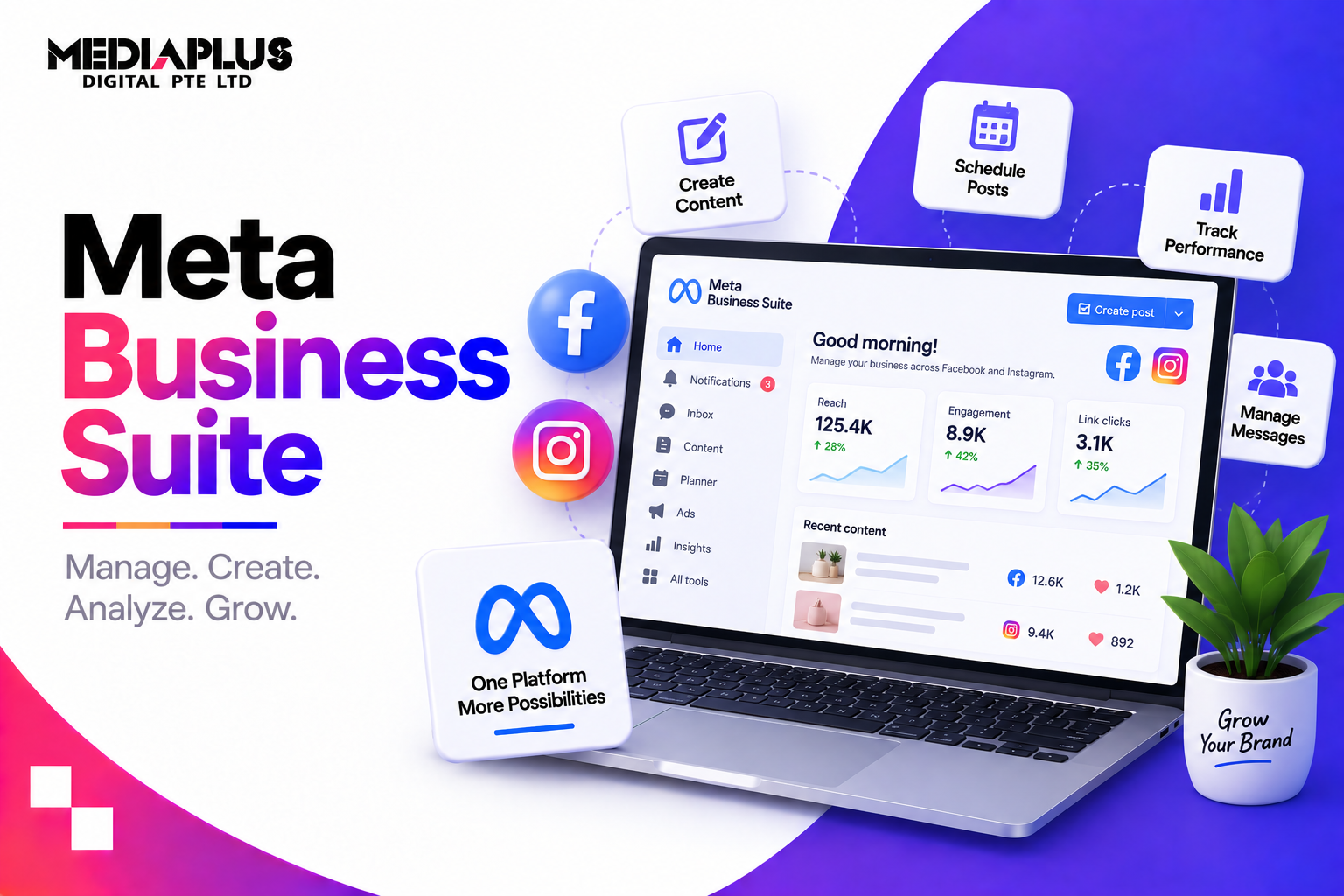
If you manage a Facebook Page and an Instagram account, you have probably bounced between two apps, two inboxes and two sets of insights. Meta Business Suite puts them in one place: schedule posts to both, answer messages and comments from one inbox, and see performance side by side. It is free, and most small businesses use only a fraction of what it can do. This guide explains what Meta Business Suite is, how it differs from Ads Manager and Business Portfolio, how to set it up, and how to use each part properly.
Quick answer: Meta Business Suite is Meta’s free tool for managing a business’s Facebook Page and Instagram account in one place. You use it to create and schedule posts, Stories and Reels, reply to Messenger and Instagram messages and comments from one inbox, set up automated replies, view insights, and run simple ads. Access it at business.facebook.com or through the mobile app. For advanced ad campaigns, use Ads Manager; for ownership, users and permissions, use your Business Portfolio (formerly Business Manager).
What is Meta Business Suite?
Meta Business Suite is the everyday workspace for businesses on Facebook and Instagram. It combines tools that used to live in separate places:
- Publishing: create, schedule and manage posts, Stories and Reels for Facebook and Instagram
- Inbox: messages and comments from Facebook and Instagram in one place
- Insights: reach, engagement, audience and content performance across both platforms
- Ads: boost posts and create straightforward ads
- Automations: instant replies, away messages and frequently asked questions
It is available on desktop and as a mobile app, and it is free to use. You pay only if you run ads.
Meta Business Suite vs Business Portfolio vs Ads Manager
These three names confuse almost everyone. They do different jobs:
|
Tool |
What it is for |
Who uses it |
|
Meta Business Suite |
Daily work: posting, inbox, insights, simple ads |
Business owners, social media and community managers |
|
Business Portfolio (formerly Business Manager) |
Ownership and control: Pages, Instagram accounts, ad accounts, pixels, catalogues, users and permissions |
Admins, agencies, whoever controls access |
|
Ads Manager |
Full advertising control: campaign objectives, audiences, placements, budgets, testing, reporting |
Advertisers and performance marketers |
A simple way to think about it: the Business Portfolio holds the keys, Business Suite is where you work every day, and Ads Manager is where you run serious ad campaigns. Business Suite links through to Ads Manager when you need more than a boosted post.
How to set up Meta Business Suite
- Go to business.facebook.com and log in with the Facebook profile that manages your Page.
- Select or create your Business Portfolio. If you already have one (from the old Business Manager), select it.
- Connect your Facebook Page if it is not already connected.
- Connect your Instagram professional account (Business or Creator) in settings.
- Add team members and give each person only the access they need.
- Connect WhatsApp where available, if your business uses WhatsApp to talk to customers.
- Set up two-factor authentication for everyone with access. Compromised accounts are a common way businesses lose their Pages.
Tip for businesses working with an agency: keep ownership of your Page, Instagram account and ad account in your own Business Portfolio, and give the agency partner access. Do not let an agency create and own your assets.
Using each part of Meta Business Suite
Home
The dashboard shows recent activity, notifications, messages that need replies and a snapshot of performance. Use it as a quick daily check.
Planner and Content: create and schedule posts
This is where most businesses save the most time.
- Create one post and publish to both Facebook and Instagram, adjusting captions for each where needed.
- Schedule posts, Stories and Reels in advance so publishing stays consistent.
- Use the Planner calendar to see your whole month at a glance and spot gaps.
- Save drafts for approval before scheduling.
- Batch your content: plan and schedule one or two weeks in a single session instead of posting every day in real time.
Practical routine: block two hours at the start of each fortnight to create and schedule content, then use daily time only for replies and timely posts.
Inbox: one place for messages and comments
- See Messenger conversations, Instagram direct messages and comments in one inbox, plus WhatsApp where connected.
- Assign conversations to team members so nothing is missed or answered twice.
- Label conversations (for example “new enquiry”, “order issue”, “follow up”).
- Reply to comments on posts and ads without opening each platform.
Response speed matters. Customers in Singapore increasingly expect near-instant replies on messaging, and slow responses cost enquiries. See our guide to WhatsApp Business marketing in Singapore.
Automations: answer common questions instantly
Set these up once and they work around the clock:
- Instant reply: an automatic first response to new messages
- Away message: sets expectations outside business hours
- Frequently asked questions: suggested questions with automatic answers (opening hours, location, pricing, delivery)
- Keyword-based replies: automatic responses when messages contain specific words
Keep automated messages short and useful, and always make it easy to reach a human.
Insights: understand what works
- Results: reach, engagement and follower growth across Facebook and Instagram
- Content: which posts, Stories and Reels performed best
- Audience: age, gender and location of your followers
- Benchmarking: compare your performance over time
What to look at monthly: which content formats drove the most reach and engagement, which topics people saved or shared, and whether follower growth is coming from content or ads. Use it to decide what to make more of. Avoid judging performance on likes alone.
Ads: boosting and simple campaigns
Business Suite lets you boost posts and create straightforward ads for goals like messages, website visits or engagement.
Boost from Business Suite when: you want to push a post that is already performing organically to more people quickly.
Move to Ads Manager when: you need specific campaign objectives, detailed audience building, placement control, A/B testing, conversion tracking with the Meta Pixel or Conversions API, or proper reporting. Serious lead generation and e-commerce campaigns belong in Ads Manager. See our guides to Facebook ads costs and Instagram ads costs in Singapore.
Commerce and other tools
Depending on your business, Business Suite also links to tools such as commerce and product catalogues, forms and lead management, and settings for your connected accounts.
A weekly workflow for small businesses
|
When |
Task |
Where |
|
Fortnightly |
Plan, create and schedule content |
Planner |
|
Daily |
Reply to messages and comments |
Inbox |
|
Weekly |
Check which posts performed; boost the best one if relevant |
Insights, Ads |
|
Monthly |
Review results and adjust the content plan |
Insights |
|
Quarterly |
Review team access and remove people who no longer need it |
Business Portfolio settings |
Limitations to know
- Facebook and Instagram only (plus WhatsApp messaging where connected). It does not manage LinkedIn, TikTok or Xiaohongshu.
- Basic analytics. Fine for most small businesses, but limited for multi-channel reporting.
- Simple ads only. Serious campaigns need Ads Manager.
- Limited team workflows compared with dedicated social media management platforms.
If you manage many platforms or brands, a third-party social media tool may suit you better. For most SMEs focused on Facebook and Instagram, Business Suite is enough and costs nothing.
Common mistakes
- Letting an agency or former employee own your Page or ad account. Keep ownership in your own Business Portfolio.
- Not turning on two-factor authentication for everyone with access.
- Using boosted posts for everything instead of proper campaigns in Ads Manager.
- Ignoring the inbox until messages are days old.
- Posting the same caption to both platforms without adapting it.
- Never checking insights, so content decisions are guesswork.
- Giving everyone full admin access rather than only what their role needs.
Frequently asked questions
Is Meta Business Suite free?
Yes. Meta Business Suite is free to use. You only pay if you run ads.
What is the difference between Meta Business Suite and Business Manager?
Business Manager has been renamed Business Portfolio and handles ownership, users and permissions for your business assets. Meta Business Suite is the day-to-day tool for posting, messaging, insights and simple ads.
What is the difference between Meta Business Suite and Ads Manager?
Business Suite handles everyday publishing, messaging, insights and simple boosted posts. Ads Manager gives full control over advertising, including campaign objectives, audiences, placements, testing and detailed reporting.
Can I schedule Instagram posts in Meta Business Suite?
Yes. You can create and schedule posts, Stories and Reels for Instagram professional accounts, as well as for your Facebook Page.
Can I manage WhatsApp in Meta Business Suite?
WhatsApp can be connected to the inbox for some businesses, where available. Many businesses still manage WhatsApp through the WhatsApp Business app or a WhatsApp Business Platform provider.
How do I give my agency access without giving away ownership?
Keep your Page, Instagram account and ad account in your own Business Portfolio, then add the agency as a partner and assign only the permissions it needs.
Is Meta Business Suite enough for my business?
For most small businesses focused on Facebook and Instagram, yes. Larger teams managing many platforms or complex campaigns often add Ads Manager and a dedicated social media management tool.
Get more from Facebook and Instagram
Meta Business Suite makes daily social media management easier, but results still depend on strategy, content and well-run ads. If you want help turning Facebook and Instagram into a steady source of enquiries and sales, talk to MediaPlus Digital. Explore our Facebook ads, Instagram ads and social media marketing services, or read how to choose a social media agency in Singapore.