Quick answer
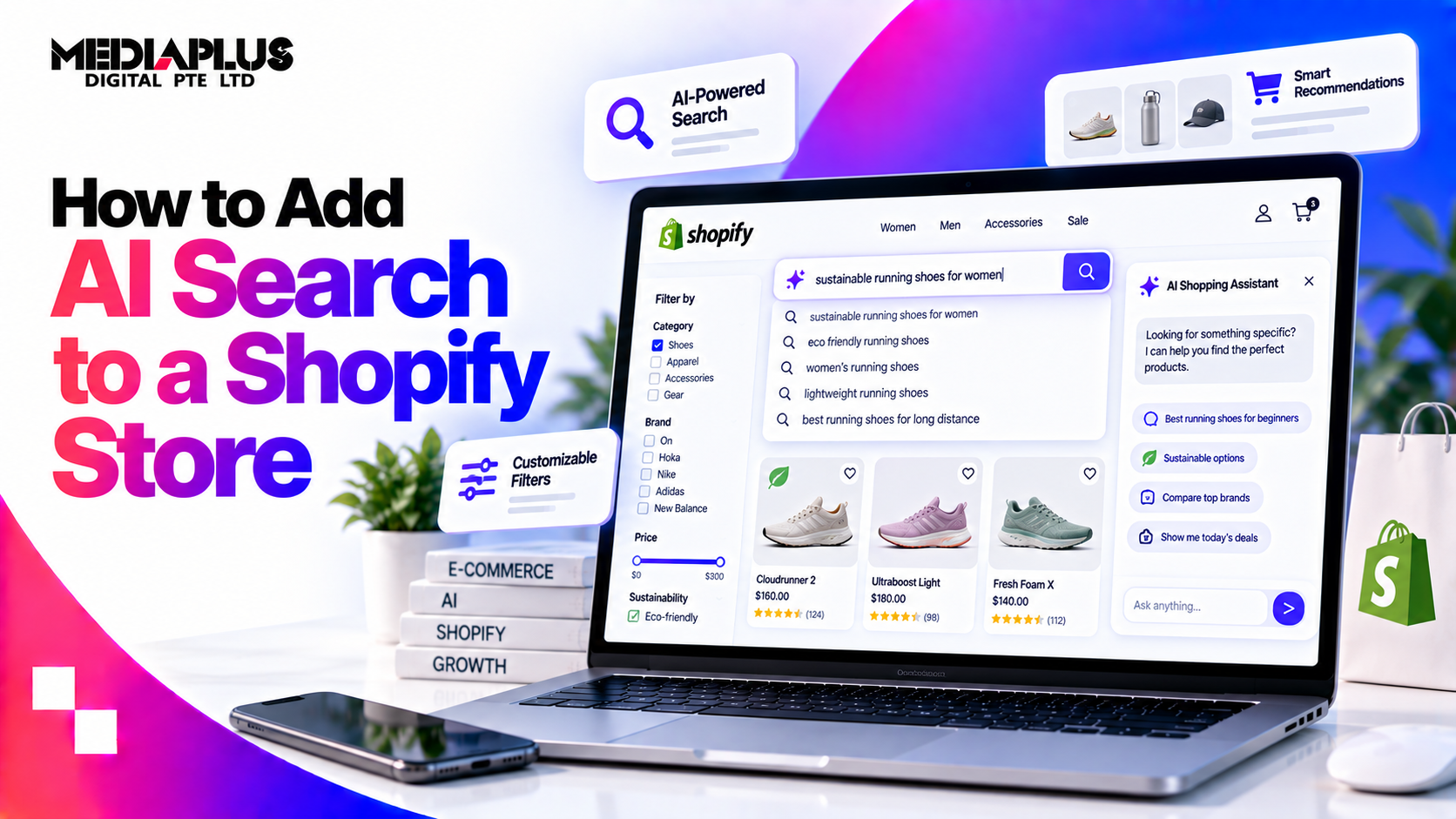
If your store is on Grow, Advanced or Plus, Shopify’s AI search is already running. There is no switch. Shopify’s documentation states: “Semantic understanding is included in online store search when your store meets the requirements for semantic search. You don’t need to turn it on in the Search and Discovery app.”
What you actually control is the input: your product data, synonyms, boosts and filters. And there are four exclusions that catch merchants out, listed below.
“Adding AI search” in 2026 therefore means three different projects, and you should know which one you need:
- On-site semantic search, which is native and free on eligible plans
- A paid search app, worth it for large catalogues or merchandising control
- Agentic discovery, being findable when shoppers ask ChatGPT or Gemini instead of searching your store
1. Native semantic search: what you get and who gets it
Eligibility, in Shopify’s words: “Semantic search is available for online store search when your store meets the following requirements: Your store has fewer than 200,000 products. Your store is on one of the following pricing plans: Grow, Advanced, Plus. Semantic search capability doesn’t apply to predictive search. Semantic search capability isn’t supported for the Japanese locale.”
What it does: Shopify describes it as checking “for related words and categories, and relationships between concepts”, using “attributes of your products such as the product’s description, and image data, such as text that’s part of the image itself and colors”. The practical effect is that “something to wear in the summer” can return shorts.
Four exclusions worth knowing:
|
Exclusion |
What it means for you |
|
Basic plan not included |
Basic is S$39 a month monthly or S$29 annual in Singapore. Grow is S$132 or S$99. If search matters to your revenue, that gap is the cost of AI search |
|
Predictive search excluded |
The type-ahead dropdown does not use semantic understanding. Only the full results page does |
|
Search operators bypass it |
If a shopper uses AND, OR, quotes, a minus sign or title:, semantic understanding is not applied |
|
Japanese locale unsupported |
Relevant if you run a Japan market alongside Singapore |
A gap Shopify has not published: the full list of supported languages. The changelog says semantic search “supports multiple languages”, without naming them. For a Singapore store running English plus Simplified Chinese, test your own queries rather than assuming coverage.
2. What you actually control
Semantic search reads your product data. That makes the unglamorous work the highest-leverage work.
Product data, first
- Descriptions matter for search now, not just for shoppers, because semantic understanding reads them. Empty or one-line descriptions give the model nothing to work with.
- Use the words customers use. If shoppers say “office chair” and your title says “ergonomic task seating”, you have created the gap yourself.
- Product type and tags are searched fields, along with title, vendor, SKU, barcode, variant title and body.
- Image content is used, including text within images and colours, so poor product photography costs more than aesthetics.
The Search & Discovery app, second
Shopify’s own free app gives you four levers:
|
Lever |
Use it for |
|
Synonyms |
Mapping how customers speak to how your catalogue is written: “sofa” and “couch”, “aircon” and “air conditioner” |
|
Boosts |
Promoting what you want found first: margin, stock position, seasonal focus |
|
Filters |
Letting shoppers refine by the attributes that matter in your category |
|
Recommendations |
Related and complementary products on product pages |
An honest note: the Search & Discovery app holds a rating of 2.7 out of 5 from 502 reviews on the Shopify App Store as of 20 September 2026. It works, it is free, and merchants with complex needs regularly outgrow it. That is the most common reason to look at a paid app.
What you cannot control
Shopify states that “changes to how search ranks results are tested regularly”. You influence ranking through product data and the app’s boosts, not by tuning an algorithm.
3. A setup you can complete this week
|
Day |
Task |
|
1 |
Confirm your plan. If you are on Basic and search drives revenue, price the move to Grow |
|
1 |
Install Search & Discovery if it is not there, and enable the analytics permissions it needs |
|
2 |
Pull “Searches with no results” and “Searches with no clicks” from the app analytics |
|
2 |
Turn the no-result terms into synonyms, or into products you should stock |
|
3 |
Rewrite the 20 product descriptions with the most search traffic, in customer language |
|
3 |
Add boosts for your highest-margin or best-converting products |
|
4 |
Review filters: are they the attributes shoppers actually choose by? |
|
4 |
Test 20 real queries yourself, including misspellings and use-case phrasing |
|
5 |
Check GA4 is recording site search, then set a baseline for search conversion rate |
Most stores find their biggest wins in the no-results report. Every term there is a customer who wanted something and left.
4. When a paid search app is worth it
Consider one when you have a large catalogue, complex merchandising rules, multi-language storefronts, or you need visual and conversational search. Verified figures from the Shopify App Store, checked 20 September 2026:
|
App |
Rating and reviews |
Pricing from (USD) |
Notable capability |
|
RS: AI Search Bar & Filter |
4.9 from 400 |
Free tier, then $14/mo |
Cheapest credible paid entry |
|
Searchanise Search & Filter |
4.7 from 1,256 |
$19/mo |
Personalised AI search, voice search |
|
Boost AI Search & Filter |
4.7 from 1,630 |
$29/mo, rising with GMV |
AI personalised search and recommendations |
|
Fast Simon AI Search & Filters |
4.8 from 354 |
Free tier, then $39.99/mo |
Session-metered, multimodal search on top tier |
|
Doofinder |
4.7 from 763 |
$61/mo |
Conversational layer, visual search on higher tiers |
|
Algolia AI Search & Discovery |
3.6 from 44 |
Free tier, then usage-based |
Runs clusters in Singapore, useful for latency |
|
Klevu AI Search & Discovery |
4.9 from 13 |
$649/mo |
Enterprise merchandising, small review base |
Two things to check before buying:
- Billing model. Session-metered and GMV-tiered pricing rises with your success. Model it at twice your current traffic.
- Where it runs. Only Algolia publicly documents Singapore data centres. For the others, regional hosting is not published, so ask before assuming latency benefits.
5. Headless and Hydrogen stores
If you run a custom storefront, the Storefront API provides search and predictiveSearch queries, and Hydrogen ships /search and /api/predictive-search routes. Search & Discovery boosts, synonyms and filters have applied to headless storefronts since 2023.
One honest caveat: Shopify’s documentation scopes semantic search to “online store search” and does not confirm that the Storefront API search query is semantically ranked. Until Shopify states it, do not assume a Hydrogen storefront inherits semantic search. Test it with the same queries you use on a themed store.
Also note that from 16 March 2026, storefront filter URLs use stable group identifiers rather than text values. Old URLs still work, but any guide showing ?filter.v.option.color=Blue as the current format is out of date.
6. The other AI search: being found by assistants
Increasingly, “AI search” does not happen on your store at all. Shoppers ask ChatGPT, Gemini or Copilot for a product, and the assistant returns options.
Shopify’s Agentic Storefronts syndicates catalogue data to those assistants, and Shopify states it “is enabled automatically for eligible stores”, covering 60 or more countries. Shopify’s own platform data from Q1 2026 reports that AI-referred sessions convert at “nearly 50% higher rates than organic search”, carry “14% higher average order values”, and that AI referral sessions grew “more than 8x year-over-year”. Fifty-five per cent of AI-referred sessions start on a product detail page, against 20% for organic search.
Read that carefully. Those figures describe traffic arriving from AI assistants, not the performance of your on-site search. They are also Shopify’s own platform data rather than independent research. They are still the clearest published signal that product pages, not category pages, are now the entry point.
What that means practically: product pages need to stand alone, with specifications, availability, delivery and price legible without navigating anywhere. Our AI search readiness audit covers the checks.
7. How to measure store search
|
Source |
What you get |
|
Search & Discovery app analytics |
Last 30 days: click rate, purchase rate, searches by query, searches with no results, searches with no clicks |
|
Shopify Analytics, Behaviour reports |
“Searches by search query”, “Searches with no clicks”, “Searches with no results”, and “Search conversions over time”, which tracks sessions, clicks, add to carts and purchases from search |
|
GA4 |
Shopify’s search URL is /search?q=, and GA4 Enhanced Measurement already tracks the q parameter, so site search is captured with no custom setup |
That last point corrects a common claim in older Shopify guides. You do not need to add a custom search parameter in GA4 for Shopify’s default search.
The four numbers to watch monthly: search conversion rate against site conversion rate, percentage of sessions that use search, no-result rate, and the top 20 queries with no clicks.
What the research says about search UX
Baymard Institute’s ecommerce search benchmark, updated 29 April 2026 and drawing on more than 10,000 usability scores across 170 sites and apps, found 56% of ecommerce sites have mediocre or worse search UX, rising to 58% on mobile and 64% in apps.
The failures cluster in exactly the query types semantic search is meant to handle: 43% of sites fail on use case queries, 39% on feature queries and 37% on symptom queries, against 12% on exact queries.
The implication for a Shopify merchant: native semantic search closes part of that gap automatically, which is a genuine advantage over most platforms. It does not fix product data, filters or no-result handling, which is where the remaining failure sits.
What a 2025 guide gets wrong
- “Turn on semantic search in the Search & Discovery app.” There is no toggle now.
- “It is on the Shopify plan.” The mid-tier plan is now called Grow, and eligibility is Grow, Advanced and Plus.
- “It is Plus only.” Outdated since June 2024.
- Missing the exclusions: predictive search, Japanese locale, 200,000 product ceiling, and search operators bypassing it.
- “Add a custom search parameter in GA4.” Not needed for Shopify’s default q parameter.
- Old filter URL format in code examples, superseded in March 2026.
Frequently asked questions
Does Shopify have AI search built in?
Yes. Semantic understanding is included in online store search for stores on Grow, Advanced or Plus with fewer than 200,000 products. There is nothing to enable.
Which Shopify plans include semantic search?
Grow, Advanced and Plus. Basic is excluded.
Do I need the Search & Discovery app?
Semantic search works without it. The app is how you add synonyms, boosts and filters, so most stores should still install it. It is free.
Does semantic search work on the search dropdown?
No. Shopify states it “doesn’t apply to predictive search”, which is the type-ahead suggestion list.
Will a paid app beat Shopify’s native search?
For large catalogues, complex merchandising and multi-language stores, often yes. For a store with a few hundred products, better product data usually beats a new subscription.
Does semantic search work in Chinese or Malay?
Shopify says semantic search supports multiple languages but has not published the list, and Japanese is explicitly unsupported. Test your own queries in each storefront language.
How do I know if search is losing me money?
Check the no-results report and the search conversion rate against your site conversion rate. If shoppers who search convert worse than those who browse, search is the problem.
What about AI assistants sending traffic to my store?
Shopify’s Agentic Storefronts syndicates catalogue data to major assistants and is enabled automatically for eligible stores. Make sure product pages stand alone, because most AI-referred sessions land there first.
Getting Shopify search to sell
MediaPlus Digital works on Shopify stores where search, merchandising and SEO are treated as one problem, because they draw on the same product data. Thirteen years in the Singapore market, a team of 60 and more than 1,800 projects delivered.
See our Shopify SEO services, Shopify website design and development, or how to reduce cart abandonment if search is working and checkout is not.
Shopify documentation, plan pricing, app ratings and Baymard research verified 20 September 2026. Shopify changes these often, so confirm before acting.