Quick answer
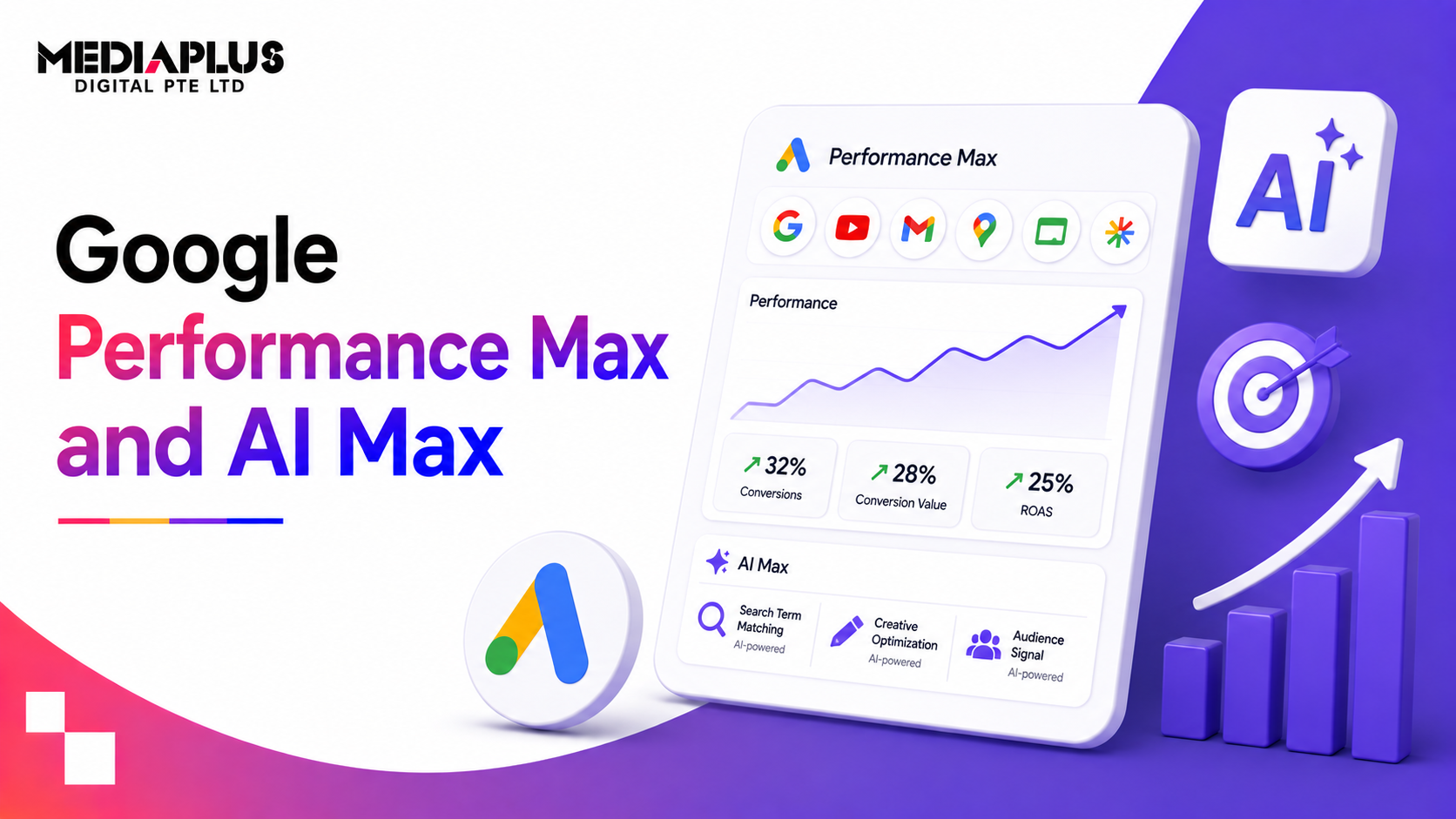
Performance Max (PMax) is a campaign type. One campaign buys across Google’s inventory: Search, Shopping, YouTube, Display, Discover, Gmail and Maps.
AI Max for Search is not a campaign type. Google describes it as “an optimization layer that you activate within your existing Search campaigns.” It widens which searches your Search ads can match, rewrites headlines and descriptions, and can send clicks to the most relevant page on your site.
Put simply: PMax decides where across Google your ads run. AI Max changes how your Search campaigns match and write ads, while keeping your Search structure, keywords and reports.
When both could serve the same search, an identical exact-match keyword in a Search campaign wins first. Otherwise, the ad with the highest Ad Rank serves.
All facts below are from Google Ads Help, the Google Ads blog and the Google Ads API documentation, checked 17 September 2026.
What changed in 2026
If you read about AI Max in 2025, several things are now different.
|
What 2025 articles say |
What is true in September 2026 |
|
AI Max is in beta |
Google announced it was moving out of beta on 15 April 2026 |
|
AI Max is something you opt into |
New Search campaigns have AI Max turned on by default |
|
Dynamic Search Ads will be upgraded in 2026 |
The DSA auto-upgrade was pushed back to begin in February 2027, and creating new DSAs ends in January 2027 |
|
Automatically created assets and the broad match setting are separate features |
Both are being auto-upgraded into AI Max starting September 2026 |
|
“Automatically created assets” |
Now called text customization |
|
PMax allows 100 negative keywords |
10,000 per campaign, plus negative keyword lists |
|
PMax allows 25 search themes |
50 per asset group |
|
PMax has no search terms report |
Search terms reporting and channel performance reporting are available in all PMax campaigns |
|
AI Max only works for standard Search |
AI Max for Shopping launched in beta in April 2026 |
What Performance Max is
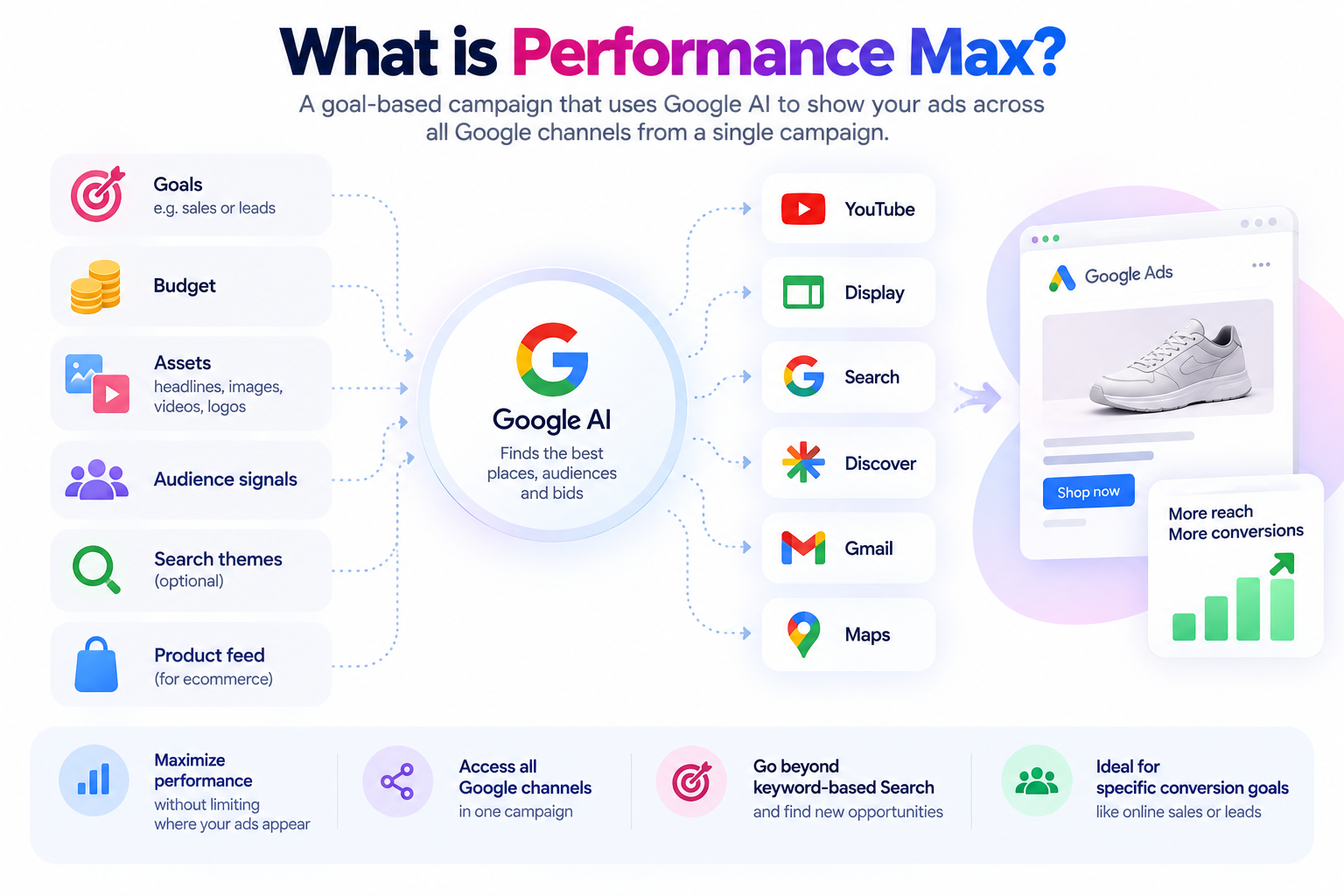
Google’s definition: “Performance Max is a goal-based campaign type that allows you to access all Google Ads inventory, including YouTube, Display, Search, Discover, Gmail, and Maps, from a single campaign.”
You supply goals, budget, assets (headlines, images, videos, logos), audience signals, optional search themes and, for ecommerce, a product feed. Google decides the channel, placement and bid for each impression.
Google recommends PMax when:
- “Your business has specific conversion goals such as to increase online sales or to generate leads.”
- “You want to maximize the performance of your campaign without restricting where your ads appear.”
- “You want to access all of Google’s advertising channels using a single campaign.”
- “You want to increase reach and conversion value beyond keyword-based Search campaigns.”
Google reported in April 2025 that PMax was used by over one million advertisers. For the basics, see our plain-English guide: what is Performance Max.
What AI Max for Search is
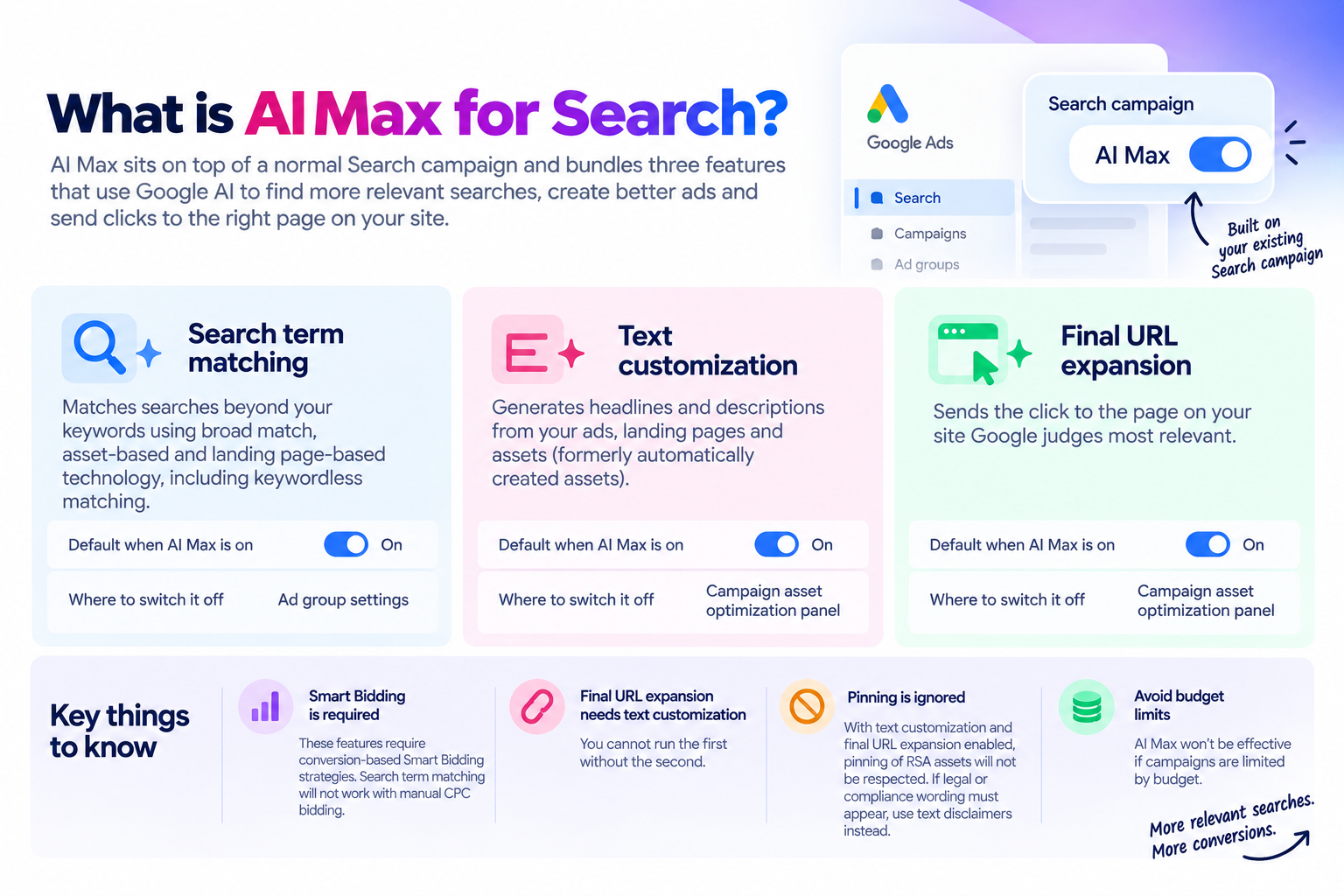
AI Max sits on top of a normal Search campaign and bundles three features.
|
Feature |
What it does |
Default when AI Max is on |
Where to switch it off |
|
Search term matching |
Matches searches beyond your keywords using “broad match, asset-based, and landing page-based technology”, including keywordless matching |
On |
Ad group settings |
|
Text customization |
Generates headlines and descriptions from your ads, landing pages and assets (formerly automatically created assets) |
On |
Campaign asset optimization panel |
|
Final URL expansion |
Sends the click to the page on your site Google judges most relevant |
On |
Campaign asset optimization panel |
Three dependencies are worth knowing before switching it on:
- Smart Bidding is required. Google states these features “require conversion-based Smart Bidding strategies”, and search term matching “will not work with manual CPC bidding.”
- Final URL expansion needs text customization. You cannot run the first without the second.
- Pinning is ignored. With both text customization and final URL expansion enabled, “pinning of RSA assets will not be respected.” If legal or compliance wording must appear, use text disclaimers instead, which Google says “guarantee that required text always appears in your ads.”
Google also warns that “AI Max won’t be effective if campaigns are limited by budget.”
PMax vs AI Max side by side
|
Performance Max |
AI Max for Search |
|
|
What it is |
A campaign type |
A setting layer inside Search campaigns |
|
Inventory |
Search, Shopping, YouTube, Display, Discover, Gmail, Maps, Search partners |
Search results (and eligible AI surfaces) |
|
Structure |
Asset groups |
Your existing campaigns, ad groups and keywords |
|
Keywords |
None, optional search themes (50 per asset group) |
Keep your keywords, plus expanded matching |
|
Creative |
Text, image, video, logos, feed |
Responsive search ads, plus generated text |
|
Landing page control |
URL expansion with exclusions |
Final URL expansion with URL inclusions and exclusions |
|
Bidding |
Conversion-based Smart Bidding |
Conversion-based Smart Bidding required for AI Max features |
|
Negative keywords |
10,000 per campaign, lists supported, apply to Search and Shopping inventory only |
Respected as in any Search campaign |
|
Brand controls |
Brand exclusions apply to Search and Shopping inventory |
Brand inclusions at campaign and ad group level, brand exclusions at campaign level |
|
Location nuance |
Standard location targeting |
Locations of interest at ad group level, exclusive to AI Max |
|
Search terms reporting |
Available |
Available, with “AI Max” match type and a source column |
|
Channel reporting |
Channel performance report |
Not applicable, Search only |
|
Best for |
Full-funnel reach, ecommerce with a feed, advertisers ready to let Google choose channels |
Advertisers who want more Search volume without giving up Search structure and reporting |
Which one serves when both match a search
This is the question most advertisers get wrong, and Google documents the answer in its prioritisation article, now titled “About ad group and asset group prioritization within a Google Ads account.”
The order:
- Identical exact match keyword. Google’s example: “the identical exact keyword [skydiving license] in the Search campaign is prioritized over any other broad or phrase keyword or a Performance Max campaign.”
- Identical phrase or broad keywords, including AI Max, or identical PMax search themes.
- Relevance, using AI-based prioritisation across keyword-based Search (including AI Max ad groups with keywords) and PMax asset groups with search themes.
- Highest Ad Rank when several remain equal.
Four rules sit alongside:
- Keywordless matching competes on Ad Rank. “Dynamic Search Ads, AI Max ad groups without keywords, and Performance Max asset groups without search themes are selected based on the highest Ad Rank in comparison with other ads in the account.”
- “Identical” is strict. It includes spell-corrected searches but “doesn’t include plurals or synonyms.”
- Budget-limited campaigns lose priority. Google notes that “If your Search campaign is budget-limited, Performance Max may occasionally serve on exact match terms.”
- AI surfaces behave differently. For “searches on Lens, AI Mode, AI Overviews, or auto-complete… keywords may not automatically be prioritized.”
Google’s AI Max FAQ sums up the head-to-head: “if a query is eligible to match to candidates in both AI Max for Search campaigns and Performance Max, then the one with the highest Ad Rank will serve.”
One thing Google does not answer directly: whether an exact-match keyword inside an AI Max ad group, with search term matching still on, keeps full exact-match priority. The API documentation says keywords are treated as broad by default unless search term matching is switched off at ad group level, while the Help Center says no action is needed to keep standard exact-match prioritisation. If protecting a brand or high-value term matters, test it and check the search terms report.
Reporting: what you can actually see
AI Max – Search terms report shows “AI Max” as a match type, with a source column showing whether a match came from broad match expansion or keywordless matching – “Search terms and ad combinations” view shows which query triggered which headline and landing page – Keywords report adds summary rows for AI Max expanded matches and landing page matches – Landing pages report shows whether AI Max selected the URL – Asset report marks generated assets as “Google AI”
Google advises waiting “at least 2 weeks after enabling AI Max… before making changes”, and notes that filtering by the AI Max match type can undercount because it excludes “Other search terms”.
Performance Max – Search terms reporting, including via the API – Channel performance report, showing results by channel, with account-level download – Asset reporting with impressions, clicks, cost and conversions, segmentable by device, time and network – Asset group reporting – Customer acquisition reporting for new versus returning customers
What Google claims on performance, with the fine print
|
Claim |
Exact conditions |
|
AI Max: 14% more conversions or conversion value at similar CPA/ROAS |
“Google internal data, 2025; for non-Retail advertisers” |
|
AI Max: 27% uplift |
For campaigns “with more than 70% of conversions or conversion value from exact or phrase match keywords”, non-Retail |
|
AI Max full feature suite: 7% more than search term matching alone |
“Google internal data, 2026; for non-Retail advertisers” |
|
AI Max for Shopping (beta): 5% more conversions or value |
“Google internal data, Global, 2026; for Retail advertisers” |
|
PMax: over 10% more conversions and value from 2024 quality improvements |
Google blog, April 2025 |
|
PMax with at least one video: 12% average conversion uplift |
Google Ads Help |
Read these as Google’s averages, not forecasts. The 27% figure is the most useful signal: accounts that are heavily exact and phrase match have the most untapped search volume, and therefore the most to gain and the most to lose if conversion tracking is weak.
When to use which
|
Your situation |
Start with |
Why |
|
Lead generation, Search already works, clean conversion tracking |
AI Max on existing Search |
More volume while keeping keywords, reports and structure |
|
Ecommerce with a Merchant Center feed |
PMax, with Search for brand and top terms |
Shopping inventory plus cross-channel reach. See our Merchant Center setup guide |
|
Small budget, a few high-intent keywords |
Standard Search, AI Max off or search term matching off |
Expansion needs budget and data to work |
|
Manual CPC, no reliable conversions |
Neither yet |
AI Max features need conversion-based Smart Bidding. Fix tracking first |
|
Regulated wording, strict messaging |
Search with AI Max limited, text disclaimers used |
Pinning is ignored with text customization and URL expansion on |
|
Brand protection is critical |
Search campaign for brand, brand exclusions in PMax and AI Max |
Control who owns brand queries |
|
Want YouTube, Display and Gmail as well |
PMax, alongside Search |
AI Max does not buy those channels |
Google’s own framing is simple. Gaurav Bhaya, VP and GM of Google Ads, wrote: “If you’re already using Google’s AI-powered Performance Max in your marketing, that’s great… But for those marketers still using Search campaigns, it’s time to activate AI Max for Search.”
For Shopping, Google says “for cross-channel performance, Performance Max remains your go-to.”
Running PMax and AI Max in the same account
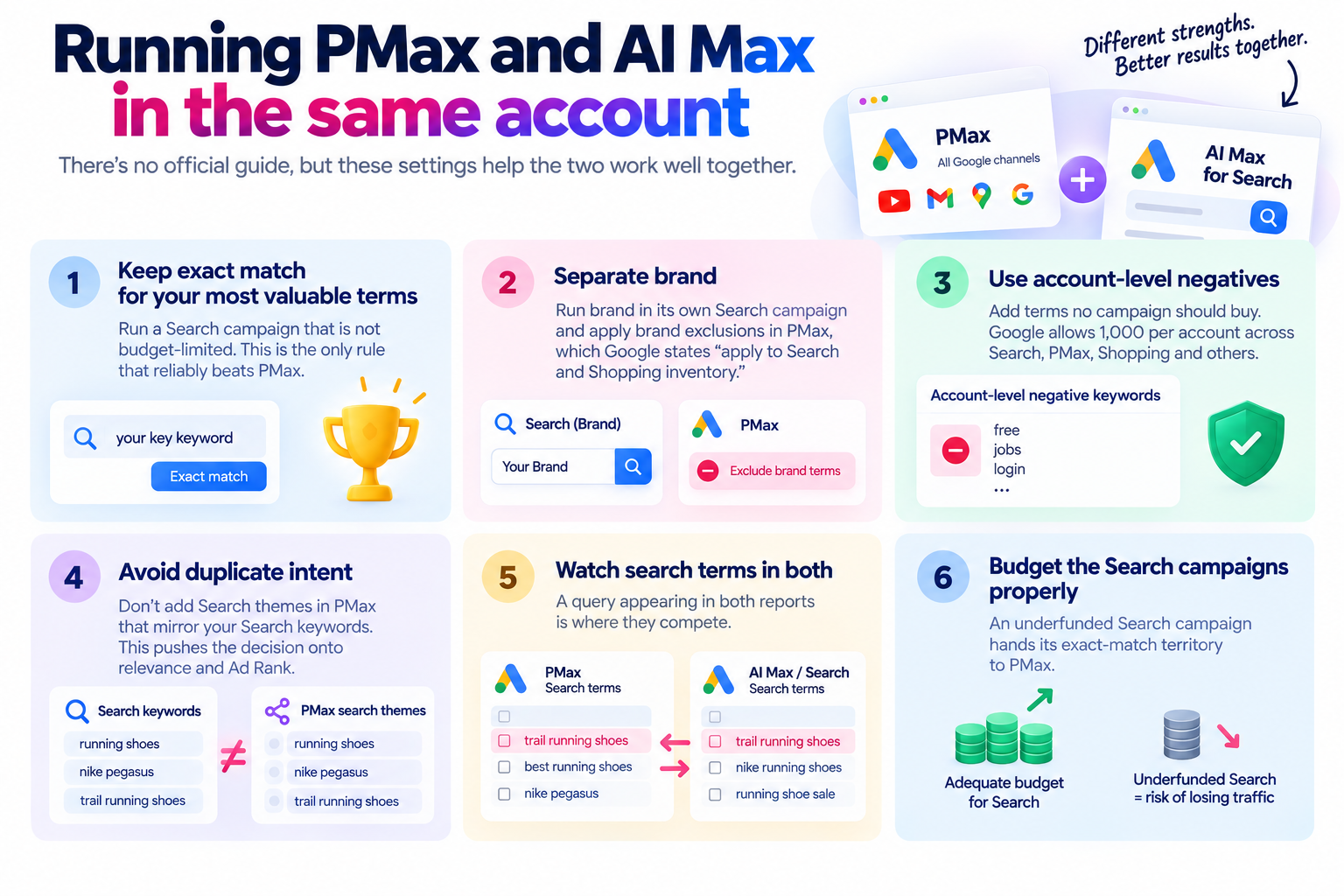
Google has not published a dedicated guide for running both. Based on its prioritisation rules, these are the settings that prevent the two from competing badly:
- Keep exact match for your most valuable terms in a Search campaign that is not budget-limited. That is the only rule that reliably beats PMax.
- Separate brand. Run brand in its own Search campaign and apply brand exclusions in PMax, which Google states “apply to Search and Shopping inventory.”
- Use account-level negatives for terms no campaign should buy. Google allows 1,000 per account across Search, PMax, Shopping and others.
- Avoid duplicate intent. Search themes in PMax that mirror your Search keywords push the decision onto relevance and Ad Rank.
- Watch search terms in both. A query appearing in both reports is where they compete.
- Budget the Search campaigns properly. An underfunded Search campaign hands its exact-match territory to PMax.
Auto-upgrade dates you need in the diary
|
What |
When |
What gets switched on |
|
Campaigns using automatically created assets |
Starting September 2026 |
Search term matching and text customization |
|
Campaigns using the campaign-level broad match setting |
Starting September 2026 |
Search term matching |
|
Creating new Dynamic Search Ads |
Removed January 2027 |
Not applicable |
|
Remaining DSA campaigns |
Starting February 2027 |
All three AI Max features, with legacy URL controls preserved |
Google’s developer blog describes remaining DSA campaigns being upgraded “to Performance Max or AI-powered Search campaigns”, while the Ads blog describes the upgrade as AI Max. Check each account’s notifications rather than assuming which applies.
If you manually upgrade a DSA campaign, Google states “Your Dynamic ad group will convert to standard ad groups” and “Existing Dynamic Search Ads will become Responsive Search Ads.”
Ads in AI Overviews: what applies in Singapore
Google Ads Help lists Singapore among the countries where ads in AI Overviews are available, in English on mobile and desktop.
- Eligible: “Text and Shopping ads from existing Search, Shopping and Performance Max campaigns.”
- Targeting required: broad match on Search, AI Max keywordless technology, PMax, Shopping or Dynamic Search Ads. Exact and phrase match alone are not enough.
- Excluded categories: “sensitive verticals like adult, alcohol, gambling, finance, healthcare, politics, and more.”
- No opt-out and no split reporting: “you can’t opt out”, and Google Ads “doesn’t offer segmented reporting” for these placements.
Ads in AI Mode were still described as a US test in Google’s December 2025 update, and we could not find an official Singapore launch.
How to test AI Max safely
- Confirm conversion tracking counts real leads or sales, not page views.
- Make sure the campaign uses conversion-based Smart Bidding and is not budget-limited.
- Use a Google Ads experiment. Note that an AI Max experiment cannot be created if the campaign already has text customization on or is part of a portfolio bidding strategy.
- Add brand exclusions and URL exclusions before launch, not after.
- Wait at least two weeks, per Google’s guidance, before judging.
- Review the search terms report with the source column, and the landing pages report for URLs you would not have chosen.
- Decide feature by feature. Search term matching, text customization and final URL expansion can each stay or go.
Our Google Ads optimisation checklist and SEM audit checklist cover the account hygiene that should come first.
Common mistakes
- Turning on AI Max with manual CPC, then wondering why search term matching does nothing
- Running AI Max on a budget-limited campaign
- Relying on pinned headlines for compliance wording after enabling text customization
- Letting PMax and a budget-starved Search campaign fight over the same exact terms
- No brand exclusions in PMax, so brand searches inflate PMax results
- Judging results after a few days
- Assuming nothing will change in the account this month, when automatically created assets and broad match setting campaigns are being auto-upgraded from September 2026
Frequently asked questions
Is AI Max a campaign type?
No. Google states it “is an optimization layer that you activate within your existing Search campaigns.”
Is AI Max the same as Performance Max?
No. PMax is a campaign that buys across all Google channels. AI Max upgrades Search campaigns only. Google describes AI Max as “an evolution of DSA and Performance Max with Final URL expansion, while including the convenience and control of Search campaigns.”
Which serves if PMax and AI Max both match a search?
An identical exact-match keyword in a Search campaign takes priority. Otherwise, per Google’s AI Max FAQ, “the one with the highest Ad Rank will serve.”
Do negative keywords work with AI Max?
Yes. Google states “Negative keywords will be respected even with AI Max turned on.”
How many negative keywords can PMax have?
10,000 per campaign, and they apply to Search and Shopping inventory only. Account-level negatives allow 1,000 across campaign types.
Is AI Max on by default?
For new Search campaigns, yes. Existing campaigns using automatically created assets or the broad match setting are being auto-upgraded from September 2026.
Can I use AI Max with manual CPC?
The search term matching feature will not work with manual CPC. AI Max features require conversion-based Smart Bidding.
Do PMax and AI Max show ads in AI Overviews in Singapore?
Yes, Google lists Singapore as an eligible market for ads in AI Overviews in English. PMax and AI Max keywordless technology are among the eligible targeting options, excluding sensitive categories.
Should small Singapore advertisers use PMax?
Only with reliable conversion tracking and enough budget for the system to learn. With a small budget and a handful of high-intent keywords, a tightly managed Search campaign is usually the better start. See Google Ads cost in Singapore.
Get PMax and AI Max set up properly
MediaPlus Digital manages Google Ads for Singapore businesses, with 13 years in market, a team of 60 and more than 1,800 projects delivered. We start with conversion tracking and account structure, because both PMax and AI Max only optimise towards what you measure.
See our Google Ads agency and SEM services in Singapore, or read types of Google Ads for the full campaign landscape.
All Google Ads features, limits, dates and performance claims verified 17 September 2026 against Google Ads Help, the Google Ads & Commerce blog and Google Ads API documentation. Google changes these often, so check before acting.